
Interactive quizzes remain one of the top ways to engage your audience in 2026. But the difference between now and in the past is that quizzes are now used for more practical purposes to scale your business.
In this article I will show you how to make an Interactive quiz with Interact quiz maker, the top quiz software since 2013, with over 1 billion quiz takers and an average lead conversion rate of 40%. After we go through how you can create your own interactive quiz, we will look at some practical use cases for quizzes so you can think through the various ways a quiz could benefit your business as it scales.
Let’s begin with the options for how you can create your interactive quiz in Interact. You can start from scratch, build with AI, or choose a template. In 2026, most people start with AI because it scans your website and builds you a starting point for your quiz.
How to Create an Interactive Quiz Step by Step
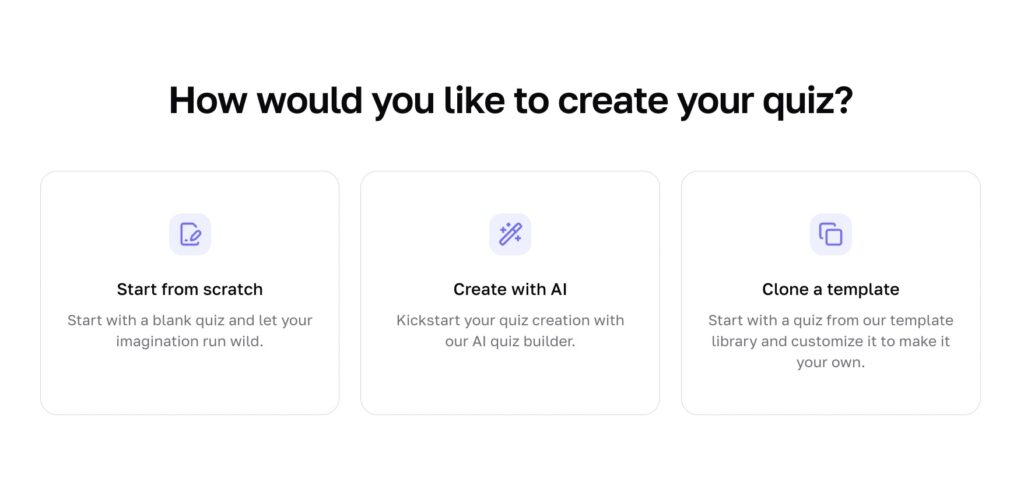
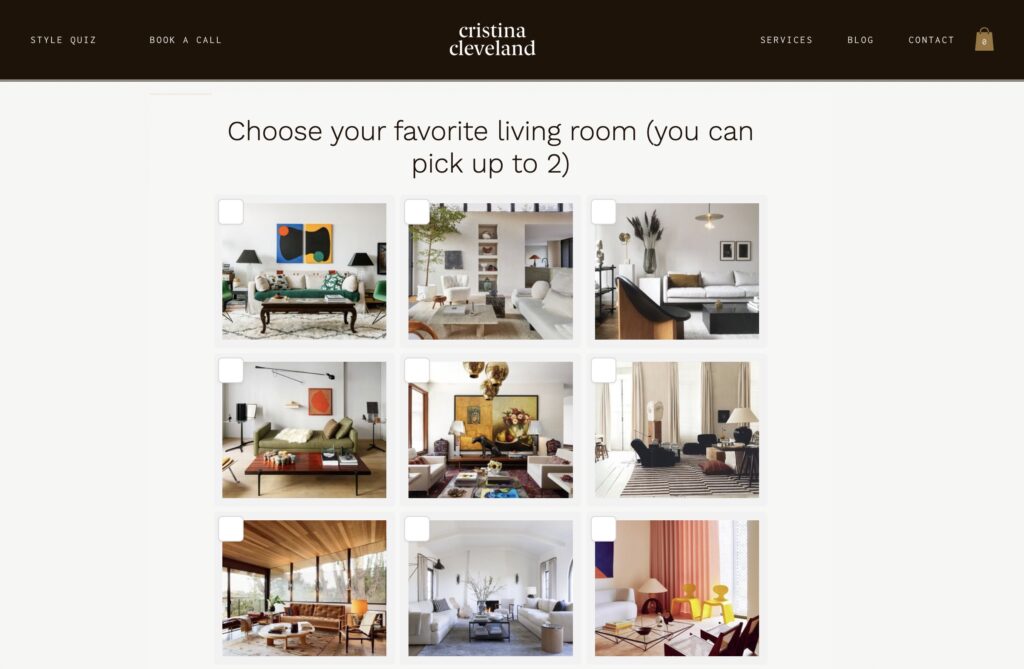
I will go through the process to show you what it looks like. I will be using our customer, Cristina Cleveland, so you can see the differences between the AI generated quiz starting point, and her full quiz. We recommend using the AI quiz generator as an idea sparker, so you can get your own creativity going. The best quizzes ever created on the Interact platform, including Cristina’s quiz, are the ones that speak from the heart, not from an AI output.
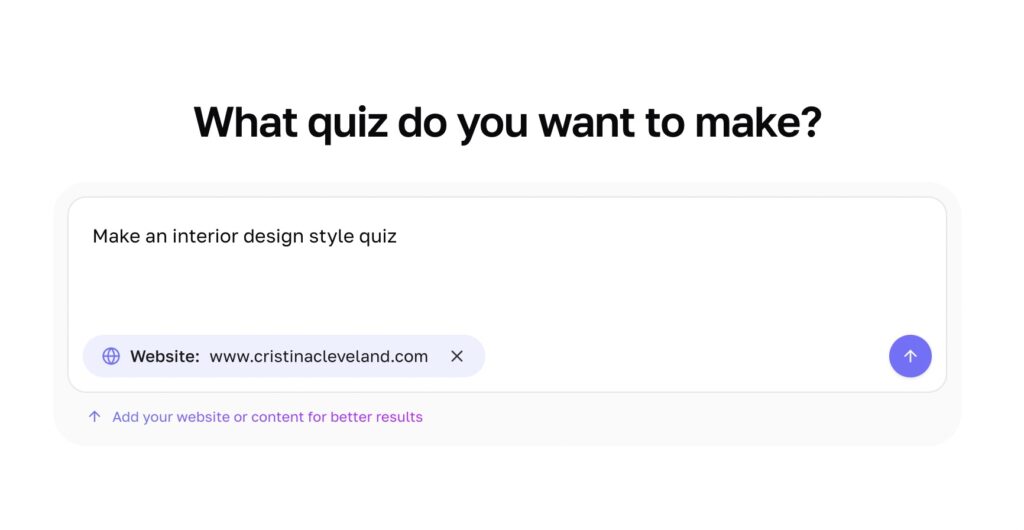
Here’s what the AI quiz generator came up with on the first try, it’s generally pretty good. But I would not use it as is, because you want to make it your own. It does save people on average 1-2 hours in their quiz creation process because it does a lot of the logistical work that would otherwise be draining.
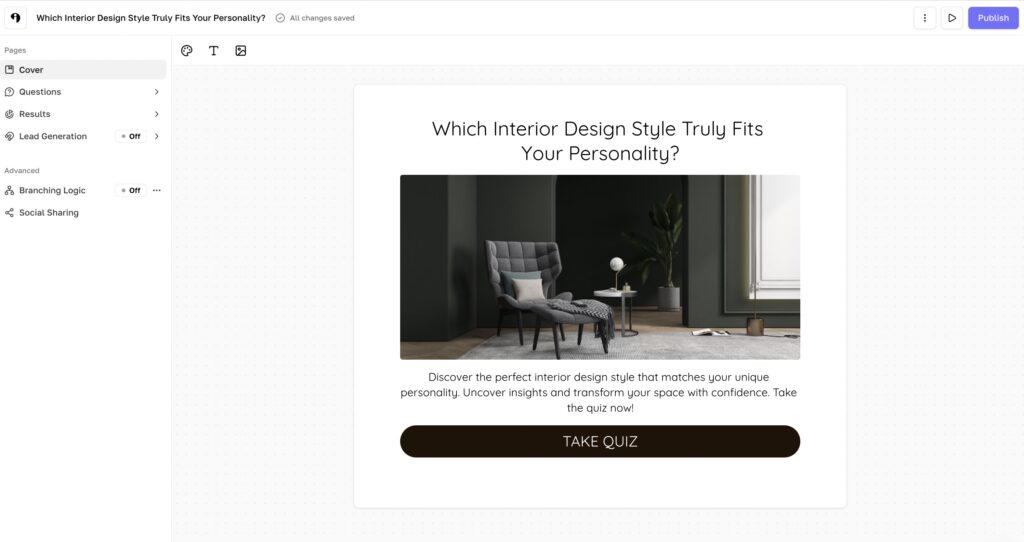
I will go into the questions and edit them as I see fit for my audience. I’ll add images so they speak more directly to my people. Images are often used in quizzes to help connect the ideas to the quiz takers in a more easy to digest way.
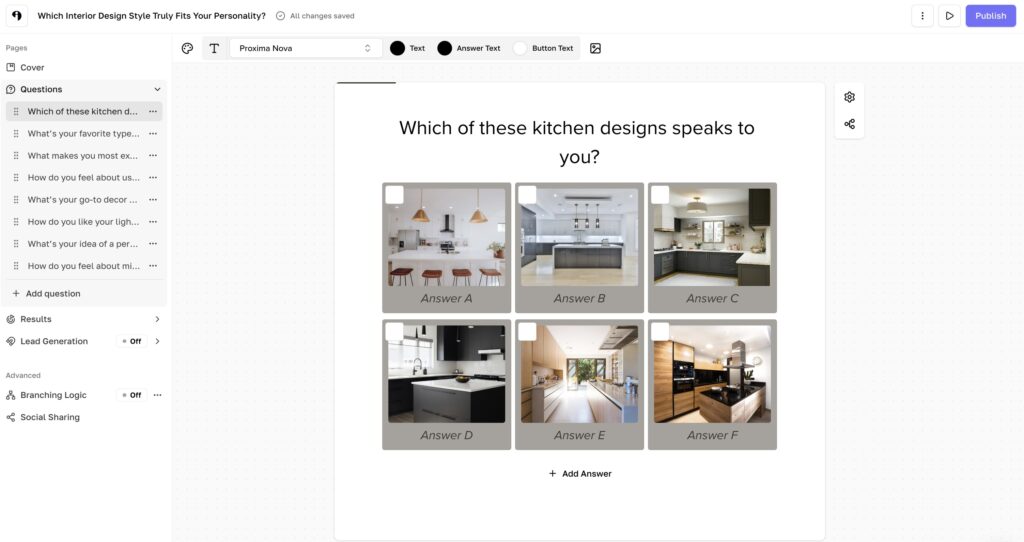
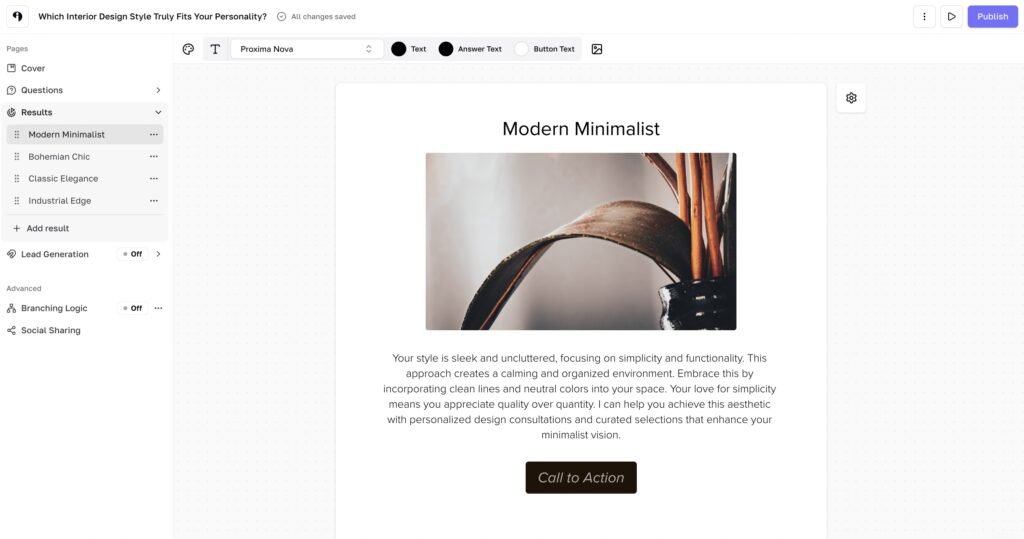
Then I will set up my results, what’s pictured here is just the AI output, so I would change it and make it more in depth. For quiz results that appear right away, not in email, I always tell people you want to give a satisfying outcome. If someone doesn’t want to opt-in and get their full report, that’s totally okay. You should still give them at least three to four great sentences explaining their outcome and giving suggestions to them based on who they are.
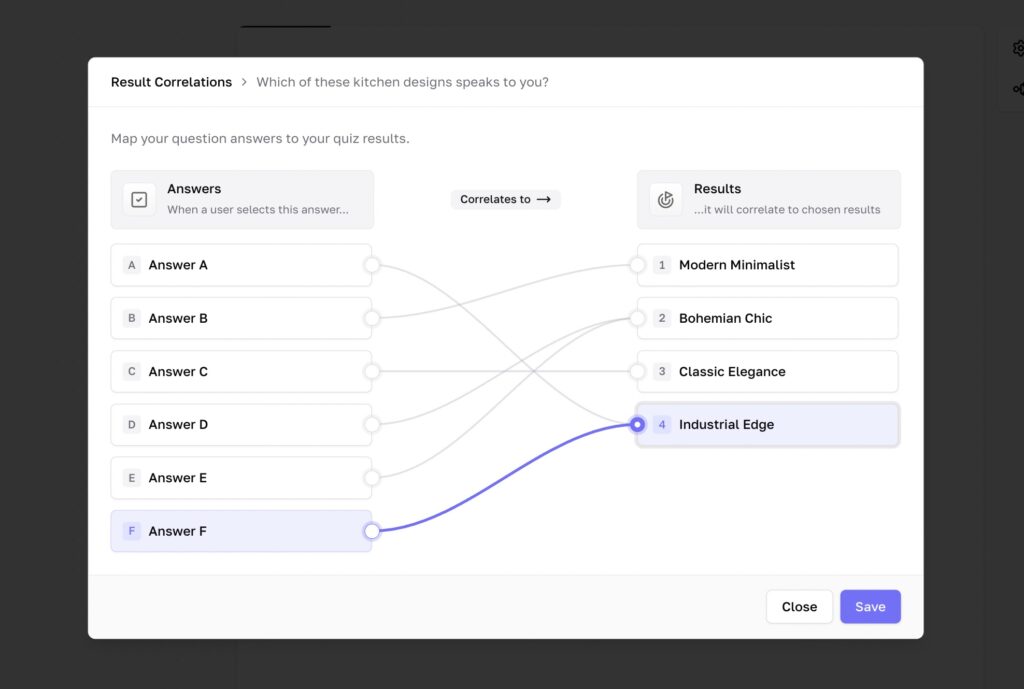
Once you are happy with your questions and results (we recommend 5-12 questions and 3-6 results per quiz), you can connect the questions to the results. This is super easy in Interact, you simply connect the dots between answer choices and outcomes. Those connections are like votes for the outcome they connect to, and whichever outcome gets the most votes when someone takes your quiz is the one shown to them as their result. This scoring system has worked beautifully across our 1 billion quiz takers and it is way more accurate than you would think.
Once you’re happy with all the questions, results, and logic of your quiz, connect your email software to collect leads with your quiz. This is the part that converts at 40% across our 1 billion quiz takers, and the Interact quiz platform was purpose built for lead generation. In 2026 the best way to maximize your conversions and also make your quiz takers happy is to offer a more complete report of their quiz result if they opt in to become a lead. But the quiz taker can skip this step and see the basic version of their results. This way it’s a fair trade if they opt in, and they won’t be annoyed if they don’t want to opt-in, win-win!
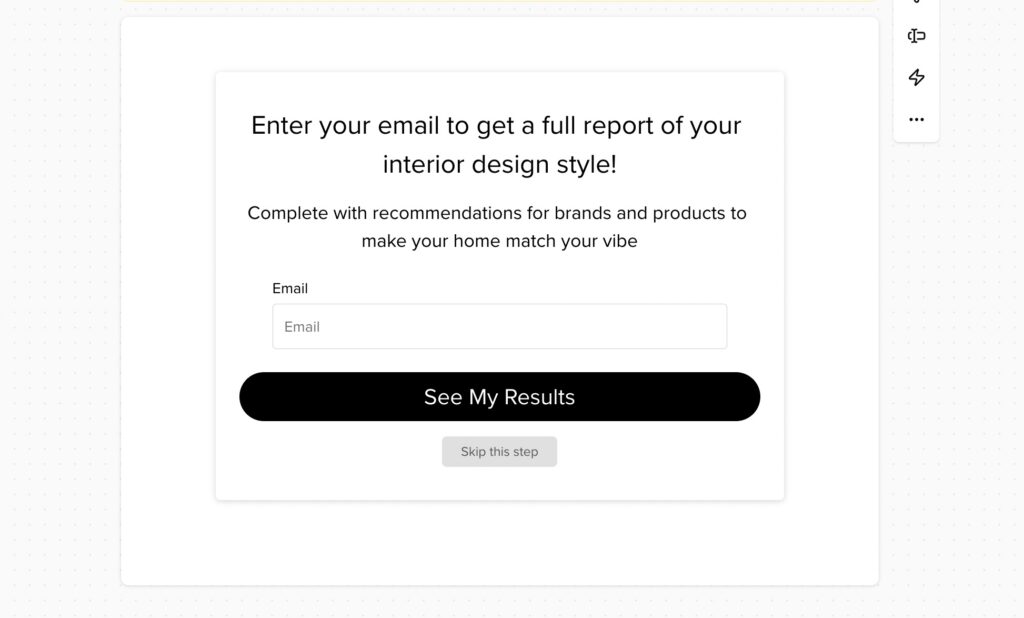
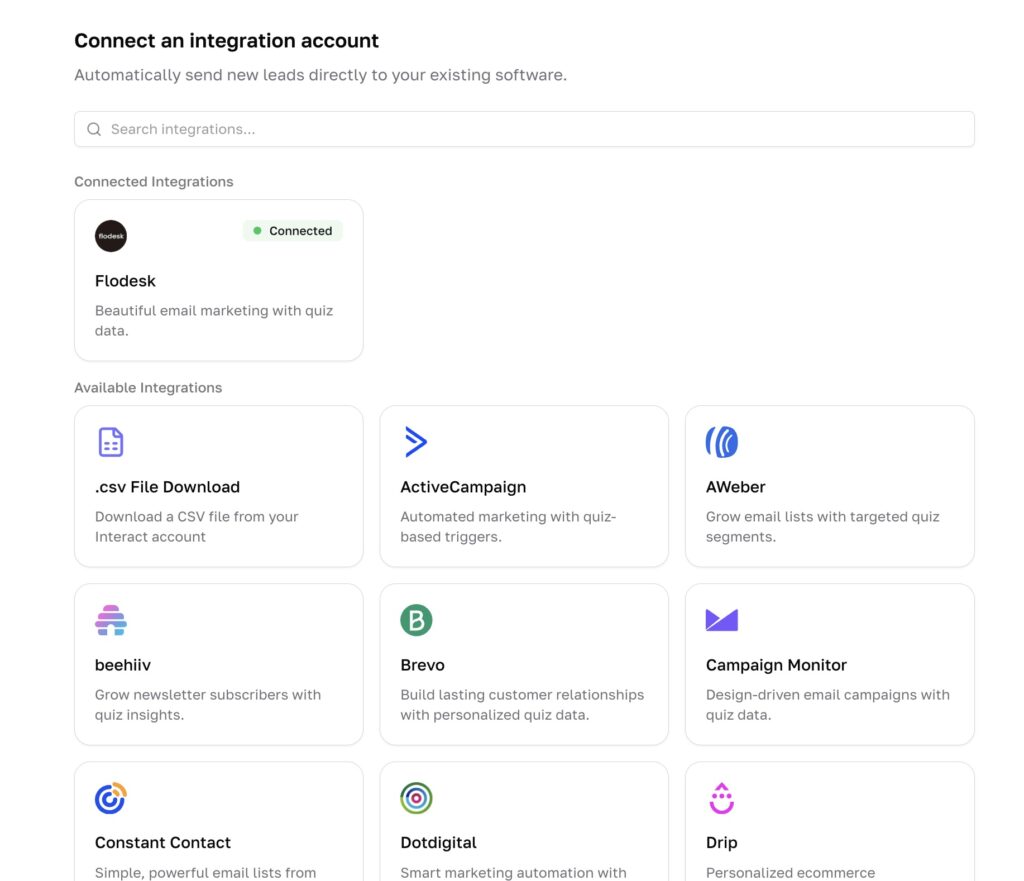
Once I set up the form I can connect my integration directly, Interact has direct integrations with every major email marketing software like Kit, Flodesk, HubSpot, ActiveCampaign, MailerLite, and more.
Once I’m done editing my quiz I can publish and embed the quiz on my website. You can also use a direct link to the quiz. Most people promote their quizzes by embedding them on their websites and adding a prominent button to take the quiz. And then they create social content where the quiz would be a reasonable call to action to have people comment to take the quiz, and they set up a DM automation to send the quiz link if someone watches their social content and comments to take the quiz.
How to Use Your Interactive Quiz to Scale Your Business
There are three main ways business owners use Interactive quizzes to scale their businesses in 2026. I will show you both of them and how they work.
1. Social Media Lead Generation
In 2025, customers using Interact quizzes drover over 1 million leads from Instagram alone. This is a brand new strategy that has emerged as social media has taken over more and more of people’s mind space. Our customers create reels about their quizzes, or about topics similar to their quizzes, and then use DM automation so their followers can comment “QUIZ” to get a link to the quiz. The quiz then does its thing and converts quiz takers into leads.

2. Website Lead Generation
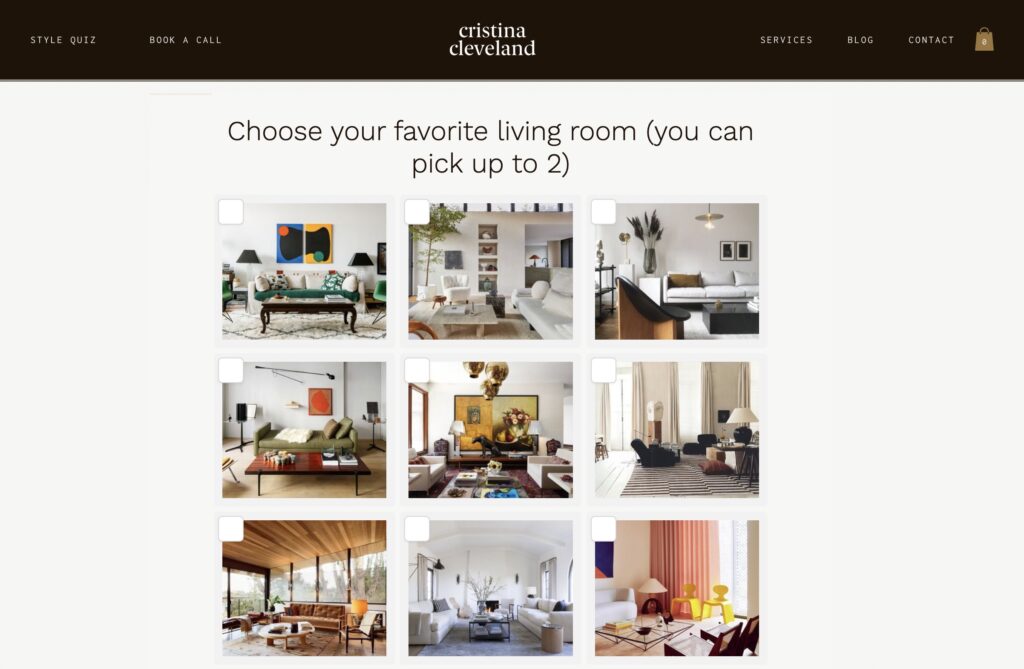
When we started Interact it was because a customer wanted to improve his website lead generation conversion rate which was at 1-2%, the average for a business website. So we added a quiz to his website and the lead generation conversion rate jumped to 40%. Which is why we created a platform where anyone can create a quiz. Converting website traffic into leads is a great use case for a quiz.
3. Product Recommendation
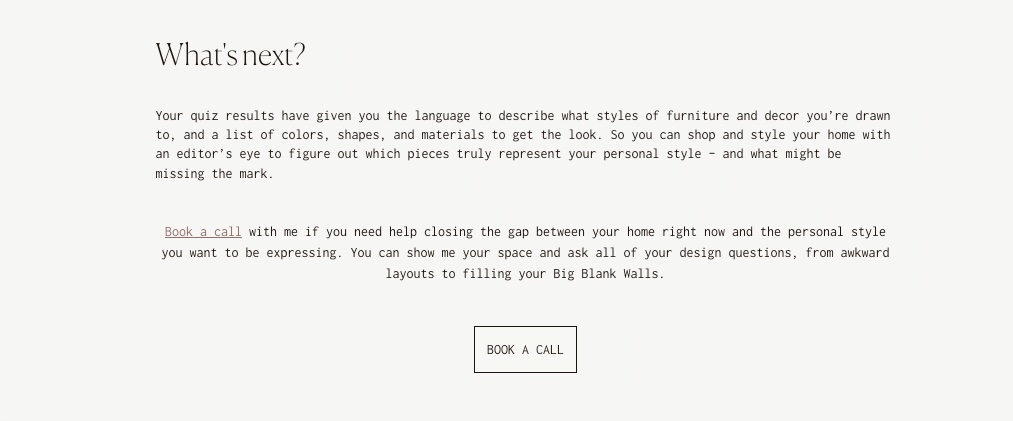
Personalized product recommendations convert to a sale 2-3x higher than a list of products on its own without a recommendation. A quiz can help scale your product recommendations because it offers a personalized result at the end which includes products to buy.