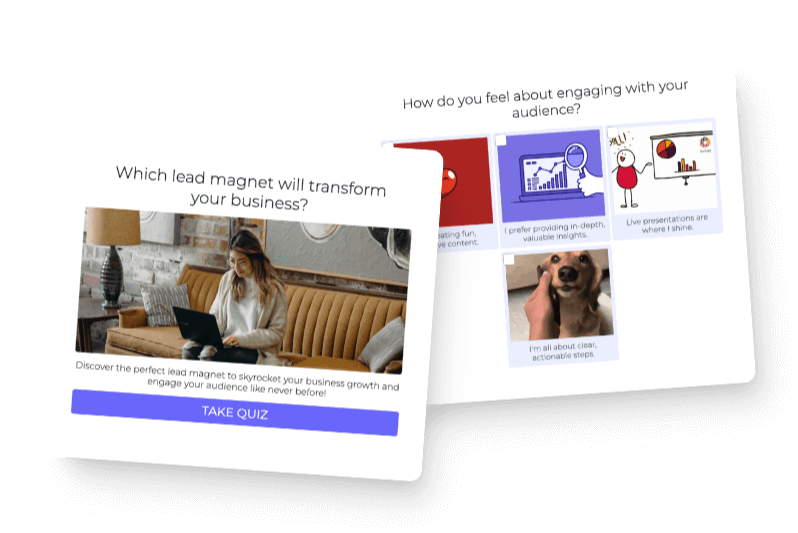

Start with the question your audience wants answered. Build from scratch when it is clear, browse templates for inspiration, or use Interact AI to see a full quiz based on your site.
The place to start with a quiz is asking yourself, “Do I know what question my audience wants me to answer for them in a personalized way?” Your answer helps you decide how to build. You can start from scratch, browse our templates, or use the Interact AI agent to help bring the idea into focus.
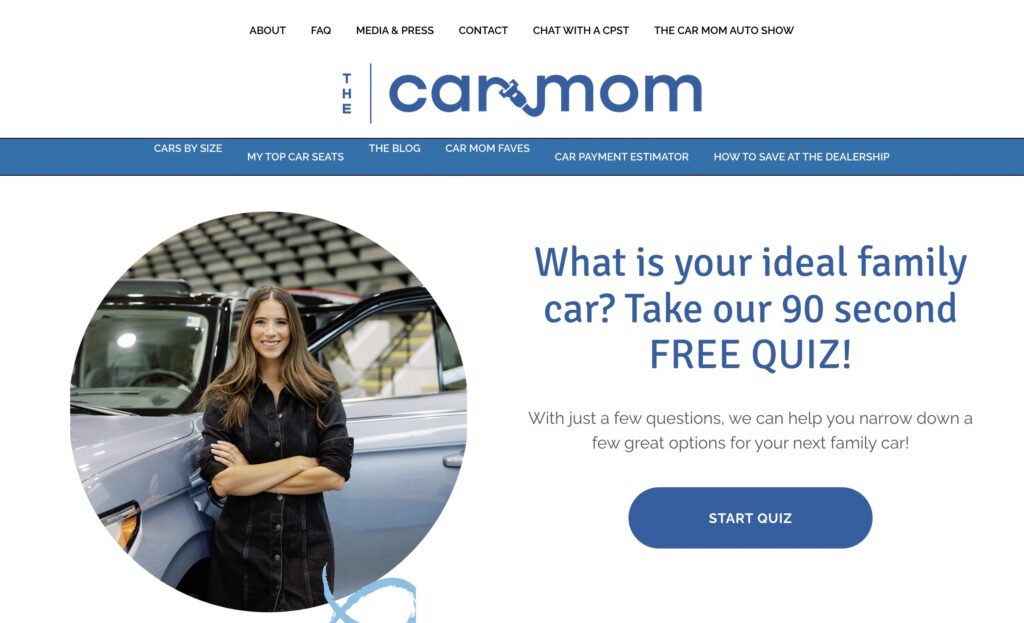
You may already hear the question every day. Someone follows your coffee content and asks, “Which coffee should I buy?” Someone watches your car videos and wants to know which car is right for their family. The quiz gives them a way to get an answer that takes their own situation into account.
If you know that question, I would start from scratch. If you are still trying to recognize it, templates can show you what has worked for similar businesses. And if you want to see a full quiz created around a question your audience might ask, Interact AI can scan your site and give you something to react to.

1. Start from scratch when you know the audience’s question
If you know what people want you to answer for them, you already have the place to start. You do not need to have written every quiz question or worked out the logic yet. Begin with that one audience question and write out all the possible answers you would give.
Those answers become your quiz outcomes. Then you create questions to guide people to the right outcome. This is the same thinking you use when somebody asks for your help personally: you learn a little about them so you can give the answer that fits.
Write the possible answers
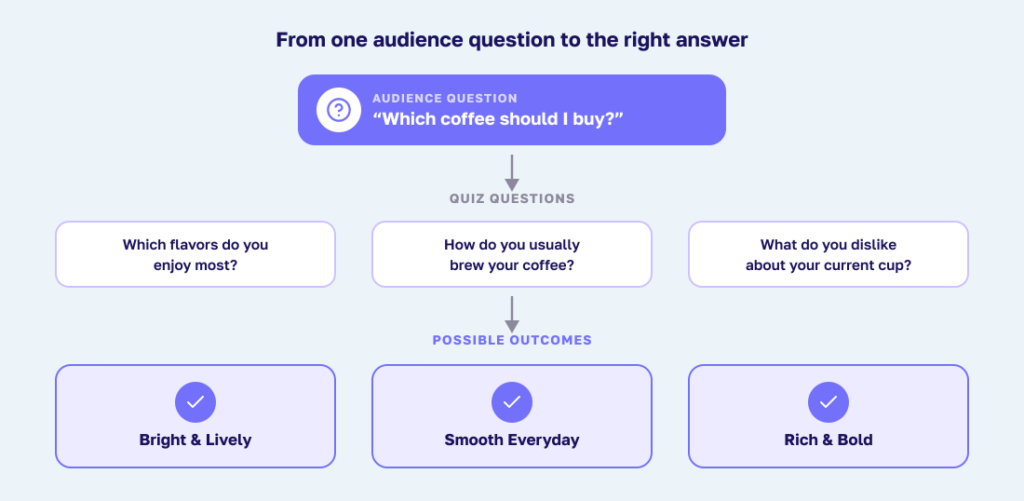
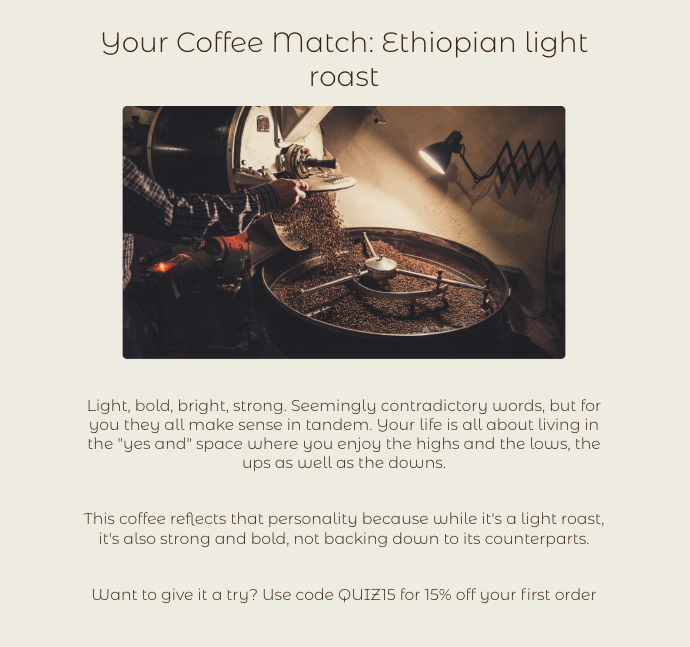
Imagine you run a coffee business and customers keep asking, “Which coffee should I buy?” Think through the recommendations you already make. One person wants something bright and lively, another wants a smooth everyday cup, and another wants a rich, bold flavor.
Write out what you would recommend in each situation and why. Those recommendations give you the starting point for your outcomes. Your list might be short or long; it should reflect the different answers you actually give people.
Each outcome page should explain what the person got, why it fits their situation, and what to do next. Connect that explanation to what you learned from their answers, using the way you would describe it in a conversation. Give them useful guidance they can act on, including a relevant free resource or paid offer where it fits.
Ask what you need to know
Now think about what you would need to learn before recommending one of those coffees. You might ask which flavors they enjoy, how they brew their coffee, and what they dislike about the coffee they currently drink. Each question should help you decide which recommendation to make.
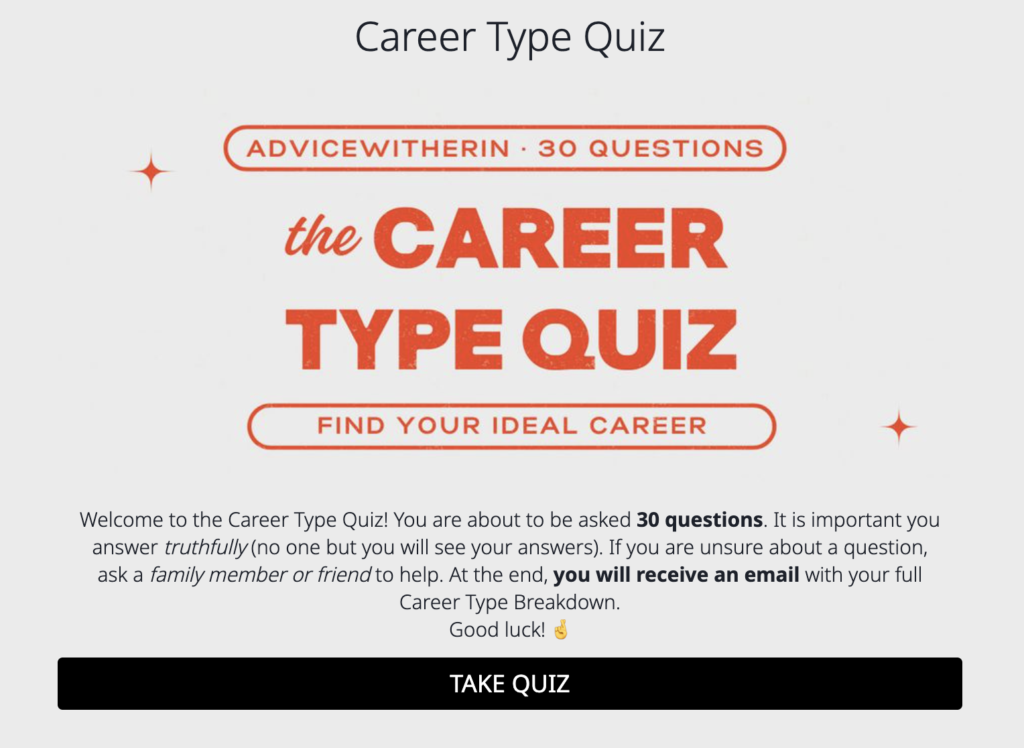
The same approach works in other fields. A career expert needs to understand what someone wants from their work and what is making their current career feel wrong. A car expert needs to understand the family’s needs, preferences, and constraints. The questions come from what you need to know to give useful advice.
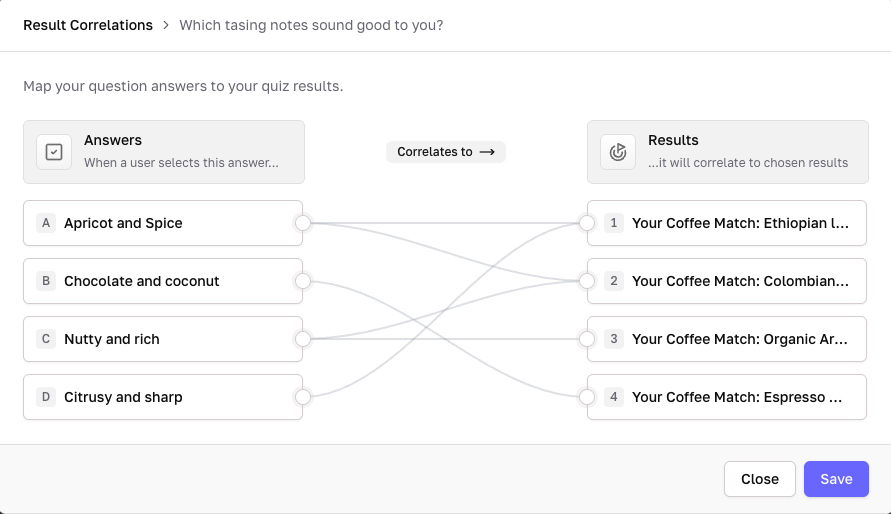
Connect the answer choices to the outcomes using the logic that fits your quiz. Then try answering as a few people you have helped before and check whether the quiz gives the guidance you would give them. Read the wording aloud, too, and change anything you would not naturally say.
2. Browse templates when you need help finding the question
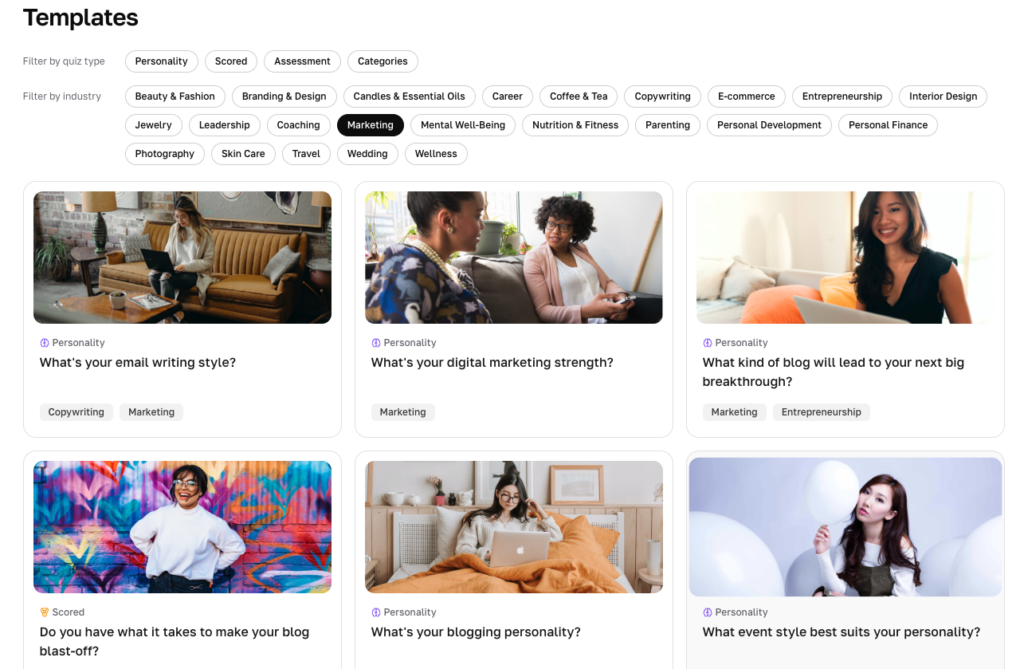
If you do not know the question your audience wants you to answer yet, browse our templates. Look at quizzes for businesses similar to yours and pay attention to what each one helps a person figure out. Seeing the question written down can help you recognize something your own audience keeps asking.
All of our templates are researched and written based on what has been most successful. They give you a sense of what has worked historically for similar businesses. You can learn from that experience while deciding what would be most useful for your people.
Start with the titles, then take a few quizzes all the way through. Notice the question each quiz promises to answer, the possible outcomes, and how the questions guide someone toward one of them. You are looking for a need you recognize from your own customer conversations.
For example, a coffee business might know it wants a quiz but be unsure what it should help with. Looking at recommendation quizzes could bring the recurring question into focus: “Which coffee will I actually enjoy?” From there, the business can adapt a template around the recommendations it already makes.
Once you find a useful starting point, check the outcomes against your own advice and offers. Keep the questions and logic that fit, and adapt anything that does not. Then adjust the language, design, and next steps so the experience feels like your business.
3. Use Interact AI to see a full quiz based on your site
If you want to see a full quiz created that is meant to answer the main question your audience asks you, you can use the Interact AI agent. Give it your website so it can scan your site, come up with ideas, and create a quiz draft. I think of it as a helpful assistant to jog your memory.
Your website already contains some of the things you teach, the people you help, and the offers you have created for them. Interact AI uses that context to help you see what a quiz for your business could look like. A full draft gives you the title, questions, and outcomes together, so you can react to the experience.
That reaction can be useful even when the first draft needs changes. You might recognize a question you answer constantly, remember an important distinction between customers, or notice an outcome that needs to be more specific. The draft helps bring those details back to mind.
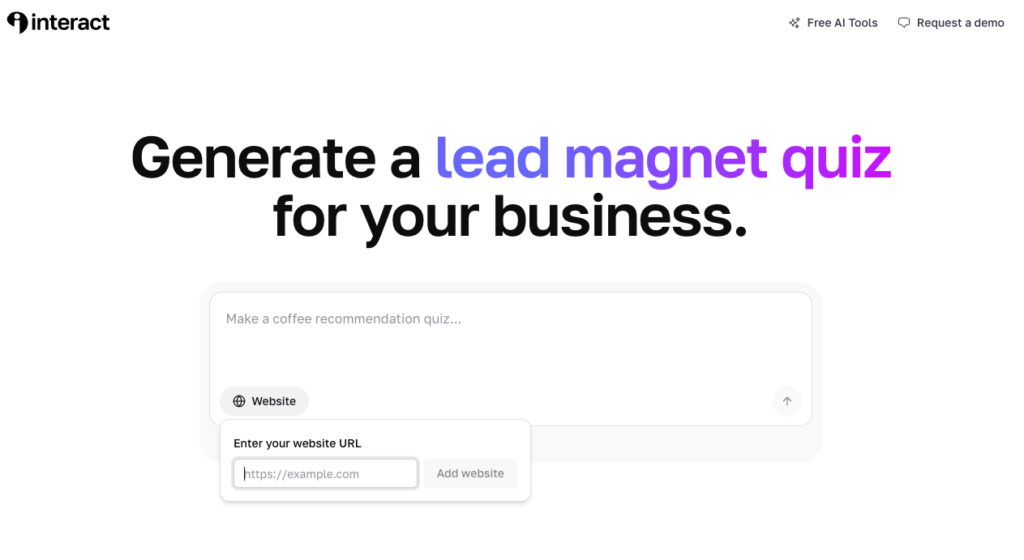
Imagine the coffee business has articles about flavor preferences and guides to choosing beans. A generated quiz might remind the owner that people repeatedly ask for a coffee that tastes good without milk. The owner can then decide whether that question is central enough to shape the quiz and which recommendations would answer it.
Review the main question first: is this what people actually want you to answer? Then read the outcomes and check whether they reflect the advice you give. Finally, review the questions, answer choices, and logic to make sure they guide people to the right place.
Add the examples, distinctions, and phrases you use with your customers. If a question sounds unfamiliar, rewrite it in your own language. You can keep developing the draft in the Interact builder as you make the quiz more specific to your audience.
Choose the starting point that helps you get clear
Start from scratch when you know the question your audience wants answered. Write out the possible answers, make them your outcomes, and create the questions that guide people to the right one.
Browse templates when you need a sense of what has worked for businesses like yours. Use them to recognize the question and see how a quiz can answer it.
Use Interact AI when seeing a full quiz based on your site would help jog your memory. React to the draft and bring in the details you know from helping your audience.
You can move between these approaches as the idea becomes clearer. A template may help you recognize the question, and an AI draft may remind you of an outcome you want to include. The starting point is there to help you turn what you know into useful guidance.
Turn the guidance into a quiz people can use
Whichever approach you choose, the finished quiz should feel like a short, useful interaction with you. Someone arrives with a question, shares some context about themselves, and receives an answer that makes sense for their situation. Test that experience before sharing it with your audience.
Once the guidance is ready, finish the quiz in Interact with your design and email opt-in form. Paid plans offer direct email integrations so you can segment leads based on their outcomes and responses. Choose the plan with the features you need, then share the quiz on your website or wherever your audience already finds you.Begin with the question: “Do I know what question my audience wants me to answer for them in a personalized way?” If you do, you can start writing the answers. If you need help seeing it, the templates and Interact AI are there to help.
Ready to build your quiz? Start with Interact for free.