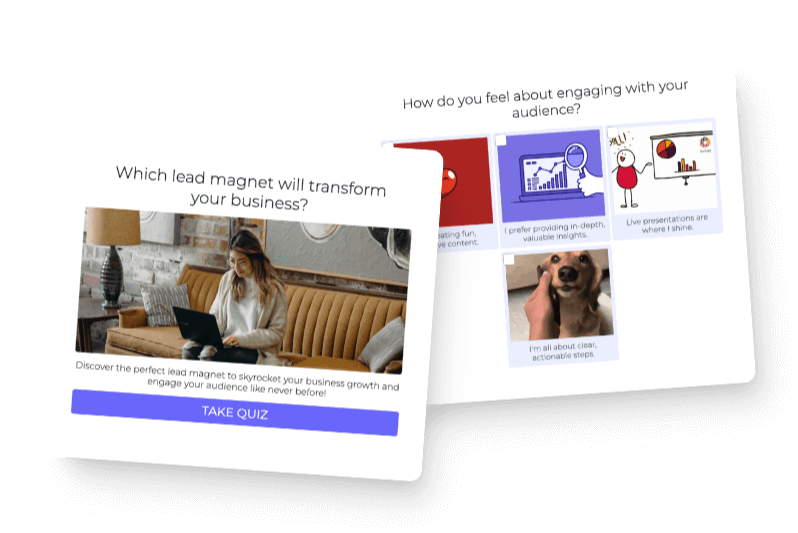

Growing a Facebook group is not really about getting the largest possible member count. It is about bringing in people who want the kind of help your community provides, then giving them a useful reason to participate. A quiz can do both because it helps someone identify what they need before you invite them into the group.
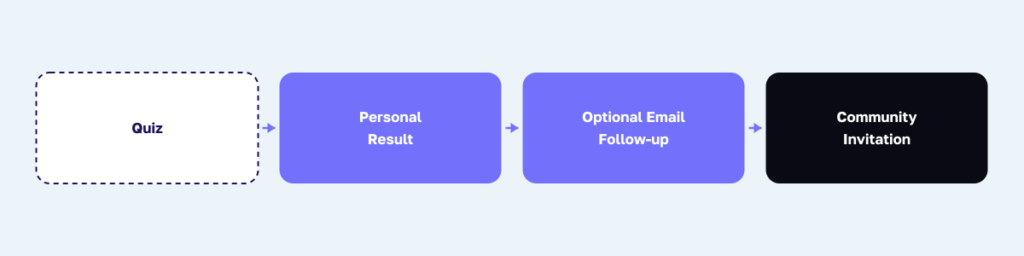
I have helped companies and experts build quizzes at Interact since 2013. The strongest quiz funnels do not force people through a sequence of disconnected marketing steps. They give someone a relevant result, ask clearly for permission when email follow-up is involved, and make the next step feel like a natural continuation of the answer they just received.
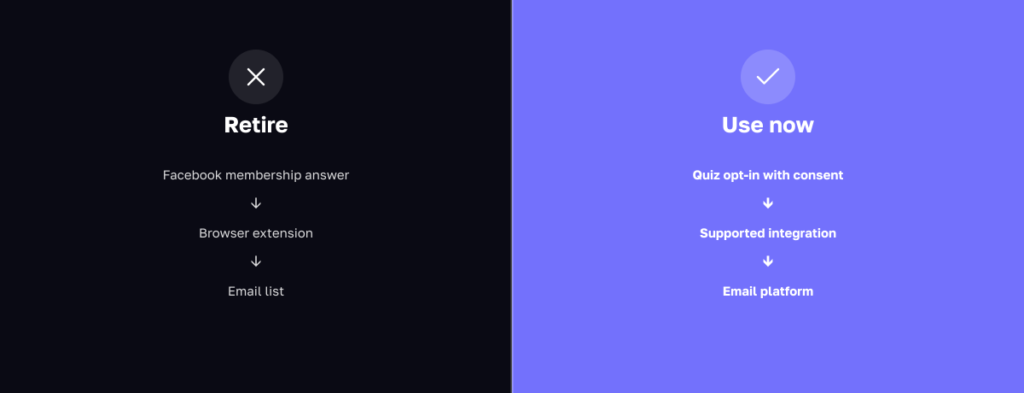
The old version of this article recommended collecting email addresses through Facebook group membership questions, pushing those answers into a spreadsheet with a browser extension, and bulk-adding people to an email platform. I would not use that workflow in 2026. It blurs the difference between asking to join a community and agreeing to receive marketing emails, and it depends on an outside tool collecting data from Facebook.
The better model is owned first. Host the quiz on your website or an Interact page, show a meaningful result, place a clear email opt-in before the result when you want permission to follow up, and use the result page to invite the person into your Facebook group. Once they arrive, use Facebook’s membership questions for community fit, rule acknowledgment, and a better welcome experience.
The 2026 strategy in one sentence
Use a quiz to understand what each person needs, collect email permission on the quiz itself, and invite the right quiz takers into a group that has a clear next step for every result.
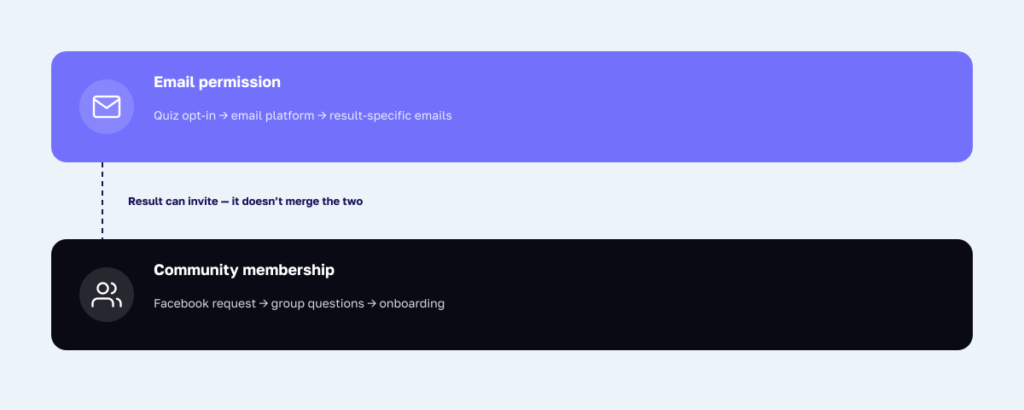
This creates two related but separate relationships. The email relationship lives in your quiz and email system. The community relationship lives in Facebook. Someone can choose one, both, or neither, and your setup should respect each choice.
Why the old email-harvesting workflow should be retired
Facebook currently allows group admins to ask people who request to join or participate up to three questions. Meta describes those questions as information that can help an admin decide whether to approve the request. That makes them useful for fit and onboarding, but it does not make them an ideal replacement for a transparent email subscription form. See Meta’s current guidance on membership and participation questions.
Do not ask for an email in a membership question, copy it into a spreadsheet, and assume the person has subscribed to marketing. Do not install an unreviewed extension that extracts membership answers. Meta maintains separate Automated Data Collection Terms, and any tool that collects data from a platform should go through your own policy, privacy, and security review before you rely on it.
Even when a tool is technically available, the consent experience still matters. A person may provide an email because they think it is required for group access, not because they understand what messages will arrive. Put the opt-in where you can state the value, frequency, privacy terms, and consent language clearly. Interact’s current opt-in form supports a privacy-policy link and consent controls, and its documentation notes that allowing people to skip the form is important for GDPR-oriented setups. Review the current Interact opt-in form instructions and your own legal requirements.
The consent-first Facebook group quiz funnel
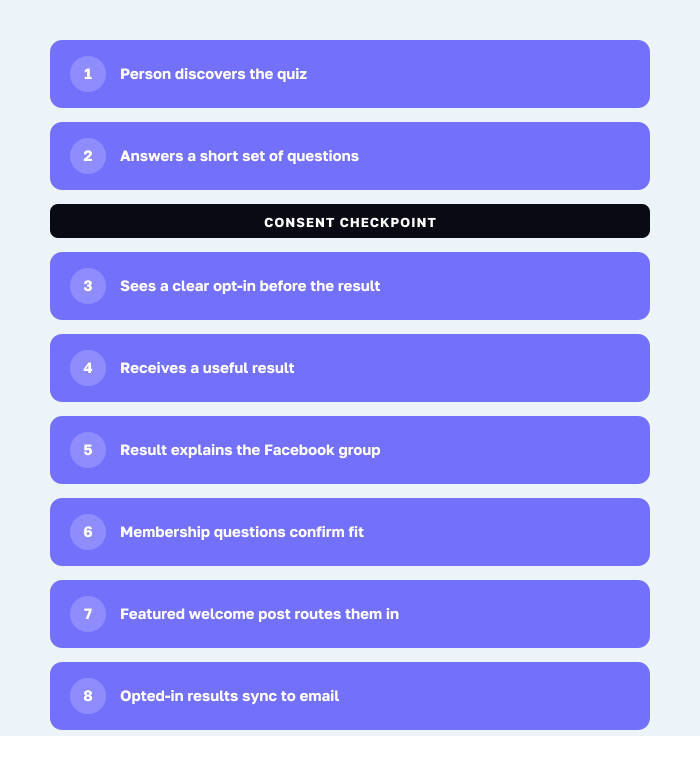
Here is the complete flow I recommend:
- A person discovers the quiz through your website, email, social content, podcast, video, or Facebook post.
- They answer a short set of useful questions on an owned landing page or an Interact-hosted page.
- If you want to send email, the quiz displays a clear opt-in immediately before the result.
- The person receives a useful result whether your chosen consent setup requires the opt-in or allows it to be skipped.
- The result page explains why your Facebook group is relevant and offers a direct group invitation.
- Facebook membership questions confirm fit, ask for rule acknowledgment, and help you route the new member.
- A featured welcome post sends the member to the discussion, resource, or activity that matches their result.
- If the person opted into email, a supported integration sends their result to your email platform for personalized follow-up.
Every handoff should answer the person’s next question. The quiz tells them where they are. The result gives them a first action. The group helps them continue with peers, examples, and your guidance. Email reminds them of the value they requested without pretending that group membership created permission.
Step 1: Define what the group helps members do
A broad group promise produces a broad audience and vague conversations. A useful group promise names a person, a recurring problem, and the progress members can make together. Before you build the quiz, finish this sentence: “This group helps [specific people] move from [current problem] to [useful progress] through [community experience].”
For example, a creator community could promise: “Creator Growth Lab helps established solo business owners turn inconsistent audience attention into a repeatable growth system through weekly planning, feedback, and peer support.” The promise is narrower than “a group for entrepreneurs,” so the quiz can ask better questions and the group can deliver a more recognizable experience.
Avoid building a group only to hold people who entered your funnel. A community needs a reason to exist beyond promotion. Good reasons include peer support, implementation feedback, accountability, office hours, access to a shared method, and discussion that improves when members contribute their own experience.
Step 2: Create four starting points inside the group
Build the group’s result-specific destinations before you create the quiz. These can be featured posts, guides, recurring threads, short videos, or resource collections. Each destination should help a new member take one small action in the first ten minutes.
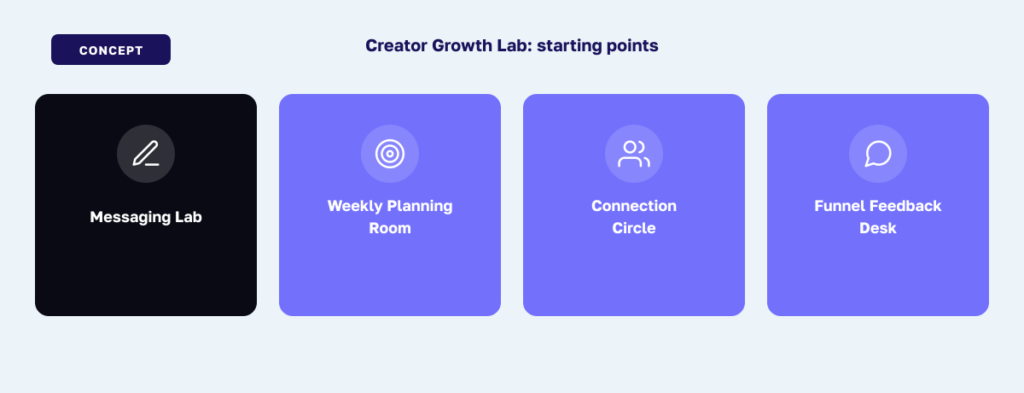
Our fictional Creator Growth Lab will have four starting points:
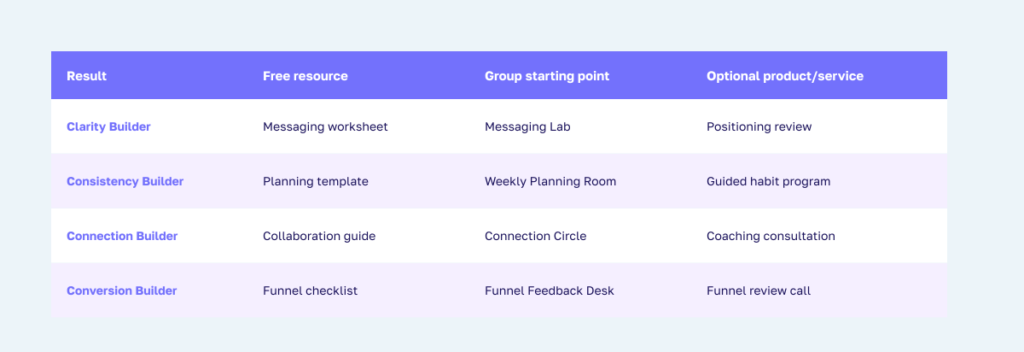
- Messaging Lab: A prompt and feedback thread for people who need a clearer promise.
- Weekly Planning Room: A simple planning template and Monday accountability thread for people who need consistency.
- Connection Circle: An introduction format and collaboration thread for people who need relationships.
- Funnel Feedback Desk: A checklist and critique thread for people who need better conversion.
These are not four separate groups. They are four doors into the same community. Members can explore everything, but the quiz prevents the first visit from feeling like a blank feed with no obvious place to begin.
Step 3: Build the quiz outcomes first
Start with outcomes because every question and answer needs somewhere to lead. An outcome should name the person’s current priority without making a diagnosis or treating a temporary situation as a permanent identity. It should also deliver enough value that the group invitation feels helpful rather than transactional.
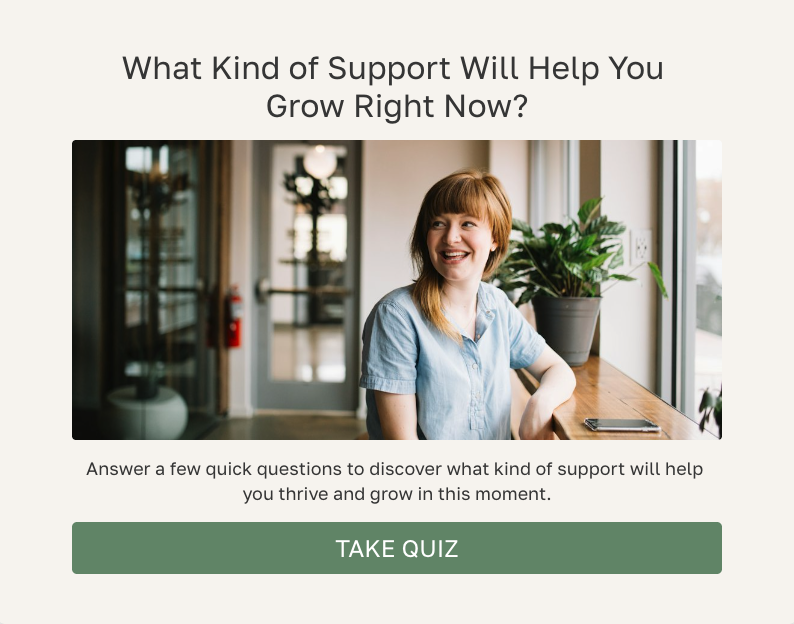
Use the quiz title What Kind of Support Will Help You Grow Right Now? The words “right now” matter. A founder may need clarity this month and consistency next quarter. The result describes the most useful starting point, not the person’s entire personality.
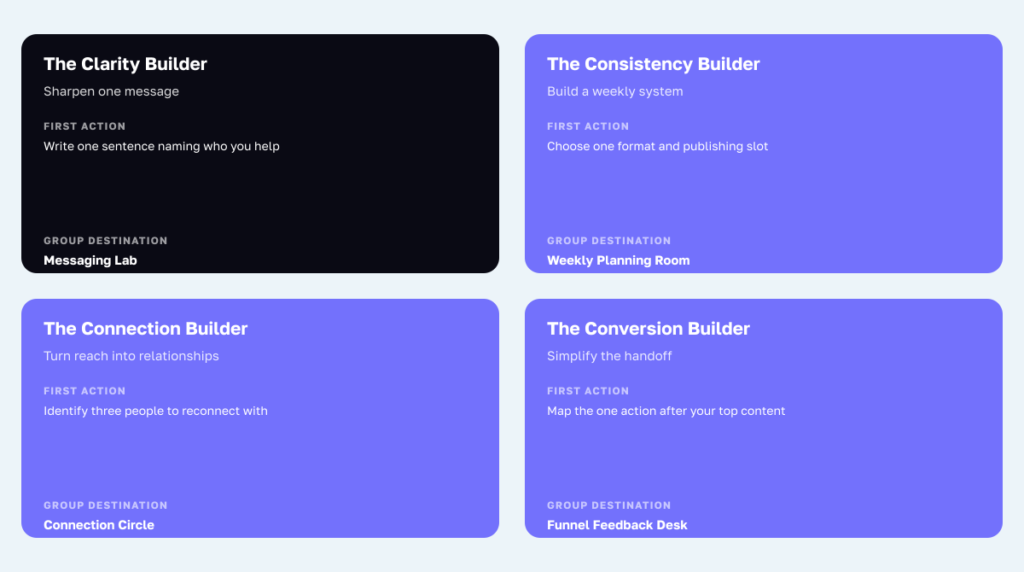
Result 1: The Clarity Builder
What it means: You have ideas and experience, but your audience may not immediately understand what you help them do. Your best next move is to sharpen one message before adding more channels or content.
First action: Write one sentence that names who you help, the problem they are trying to solve, and the progress you help create.
Group CTA: “Join Creator Growth Lab and post your sentence in the Messaging Lab for feedback.”
Result 2: The Consistency Builder
What it means: You probably know what to say, but publishing and follow-through happen in bursts. Your best next move is a smaller weekly system that works with your real capacity.
First action: Choose one primary content format and one repeatable publishing slot for the next four weeks.
Group CTA: “Join Creator Growth Lab and use the Weekly Planning Room to build your four-week rhythm.”
Result 3: The Connection Builder
What it means: Your next stage of growth is likely to come from stronger conversations, collaborations, and referrals. Your best next move is to turn passive reach into specific relationships.
First action: Identify three peers, partners, or past customers you can help or reconnect with this week.
Group CTA: “Join Creator Growth Lab and introduce yourself in the Connection Circle.”
Result 4: The Conversion Builder
What it means: You have attention, but the path from interest to inquiry or purchase is not clear enough. Your best next move is to simplify the handoff between your content, lead magnet, offer, and follow-up.
First action: Map the one action you want someone to take after consuming your most popular piece of content.
Group CTA: “Join Creator Growth Lab and bring that path to the Funnel Feedback Desk.”
Step 4: Write seven questions that route people to the right starting point
Each answer below correlates to one outcome. In Interact, connect the answer to the named result. Keep the answer choices specific enough that a quiz taker can recognize their real situation without overthinking it.
Question 1: What feels hardest in your business right now?
- Clarity Builder: Explaining what makes my work useful or different
- Consistency Builder: Showing up regularly without burning out
- Connection Builder: Reaching the right people and building relationships
- Conversion Builder: Turning attention into leads or customers
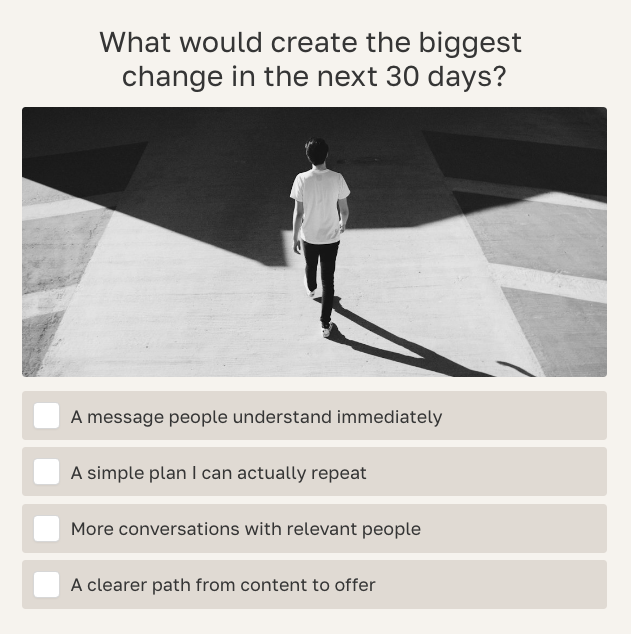
Question 2: What would create the biggest change in the next 30 days?
- Clarity Builder: A message people understand immediately
- Consistency Builder: A simple plan I can actually repeat
- Connection Builder: More conversations with relevant people
- Conversion Builder: A clearer path from content to offer
Question 3: Which task do you postpone most often?
- Clarity Builder: Writing my positioning or offer copy
- Consistency Builder: Planning and publishing content
- Connection Builder: Reaching out or following up with people
- Conversion Builder: Reviewing my landing page or funnel
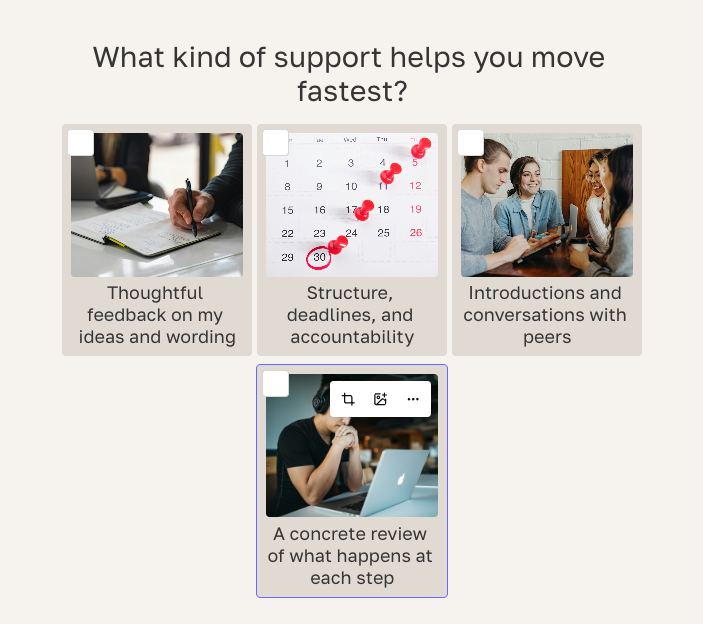
Question 4: What kind of support helps you move fastest?
- Clarity Builder: Thoughtful feedback on my ideas and wording
- Consistency Builder: Structure, deadlines, and accountability
- Connection Builder: Introductions and conversations with peers
- Conversion Builder: A concrete review of what happens at each step
Question 5: Which statement best describes what you already have?
- Clarity Builder: Experience and ideas, but no concise way to explain them
- Consistency Builder: A clear topic, but an irregular publishing rhythm
- Connection Builder: Useful work, but too few active relationships around it
- Conversion Builder: An audience or traffic, but an unclear next step
Question 6: Which win would feel most useful this quarter?
- Clarity Builder: Hearing people repeat my message back accurately
- Consistency Builder: Publishing reliably for twelve weeks
- Connection Builder: Creating several genuine partnerships or referrals
- Conversion Builder: Improving the percentage of visitors who take action
Question 7: What should the community help you do first?
- Clarity Builder: Test and improve a message
- Consistency Builder: Commit to a practical weekly plan
- Connection Builder: Meet people with complementary experience
- Conversion Builder: Get feedback on a customer journey
This final question makes the group invitation easier to understand. It also gives you a direct quality check: if the result does not match the support the person asked for, revisit your correlations or add more weight to this answer.
Step 5: Use images when they improve the answer
You can build effective questions with text, an image above the question, image answers, or a combination of both. The right format depends on what the image contributes. A picture should help someone recognize a situation, compare options, or feel the context of the question.
Use an image question with text answers when one scene gives context to the decision. Question 2 can show four roads while the precise choices remain written below. Use image answers when the options are visually distinct, as in the support styles for Question 4. Use both an image question and image answers when the main image establishes a moment and the answer images help compare paths, as in the quarterly planning example for Question 6.
Keep visible text labels with image answers. The labels reduce ambiguity, help accessibility, and prevent a polished stock photo from changing the meaning of a choice. Interact’s current image specifications recommend 900 by 400 pixels for a quiz question image and 300 by 250 pixels for each answer image.
Step 6: Build the quiz in Interact
Create a personality quiz and add the four results before the questions. Add the result title, a short explanation, the first action, and a relevant featured image. Then add the seven questions and correlate each answer to the matching result. Preview one clean answer path for every result, then test mixed answer paths and likely ties.
Do not make the result page a teaser that withholds all value until the person joins the group. Give them the result and first action immediately. The group is where they can implement that advice with discussion and support, not where you hide the answer you promised.
When the result content is ready, add a CTA button to each result page. Interact supports one CTA button per result page, and each result can use its own CTA text and link. The current result-page CTA instructions explain where to add the text, URL, and button style.
Use result-specific button copy even if all four buttons point to the same Facebook group:
- Clarity Builder: Get Feedback on Your Message
- Consistency Builder: Build Your Weekly Rhythm
- Connection Builder: Meet Your Community
- Conversion Builder: Get Funnel Feedback
The text connects the click to a benefit. “Join our Facebook group” describes the platform action, but it does not explain why this particular person should care.
Step 7: Add lead generation with explicit permission
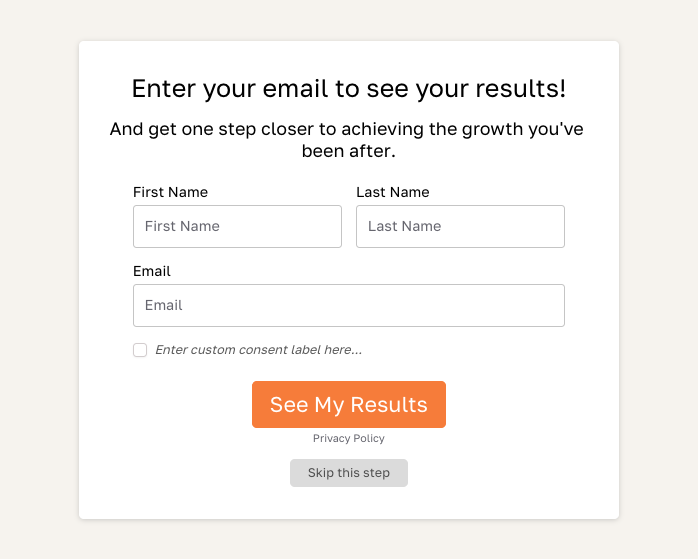
If email is part of the business goal, turn on Lead Generation in the Interact builder. Keep the form short. Email is required by Interact when the form is enabled, and you can add fields such as first name when they will genuinely improve the follow-up.
Write opt-in copy that names what the person will receive. For this quiz, use: “Send me my Creator Growth action plan and one practical email each week to help me apply it. I can unsubscribe at any time.” Add your privacy-policy link and the consent control required for your audience and jurisdiction. Decide whether the form can be skipped based on the experience you want and the legal guidance that applies to your business.
The email opt-in is permission for the messages described on that form. It is not automatic permission for unrelated campaigns, partner promotions, or indefinite data use. Likewise, submitting the form does not join the person to your Facebook group. The result page should still offer the group as a separate choice.
Step 8: Connect product recommendations or business offers
For a service business, map each result to a relevant resource, case study, workshop, or service pathway. A Clarity Builder might receive a messaging worksheet. A Consistency Builder might receive a planning template. A Connection Builder might receive a collaboration guide. A Conversion Builder might receive a funnel checklist or an invitation to a review call.
For a product business, recommend the smallest relevant set of products for the result rather than showing the full catalog. Explain why the recommendation fits, who it is for, and what to do first. Keep the community CTA as the primary result action when group growth is the campaign goal, then place product education in the result-specific email and group starting point.
Use a supported email integration to pass the quiz result and, when useful, selected answers into your email platform. Current Interact integrations can map results to lists, groups, tags, segments, or custom fields depending on the provider. Follow the provider-specific guide in Interact’s email integration collection, send a test lead, and confirm the data and automation before publishing.
Do not mix the purpose of each system:
- Interact captures the quiz response, consent record, and result.
- Your email platform owns subscribed-contact status, segmentation, and automated email.
- Facebook owns the membership request, group rules, moderation, and participation.
- Your analytics setup connects campaign activity only to the extent your tracking and privacy choices allow.
This separation makes troubleshooting easier. It also helps you honor an unsubscribe, deletion request, or group departure without assuming that one action automatically changes every other relationship.
Step 9: Set up Facebook membership questions for fit and onboarding
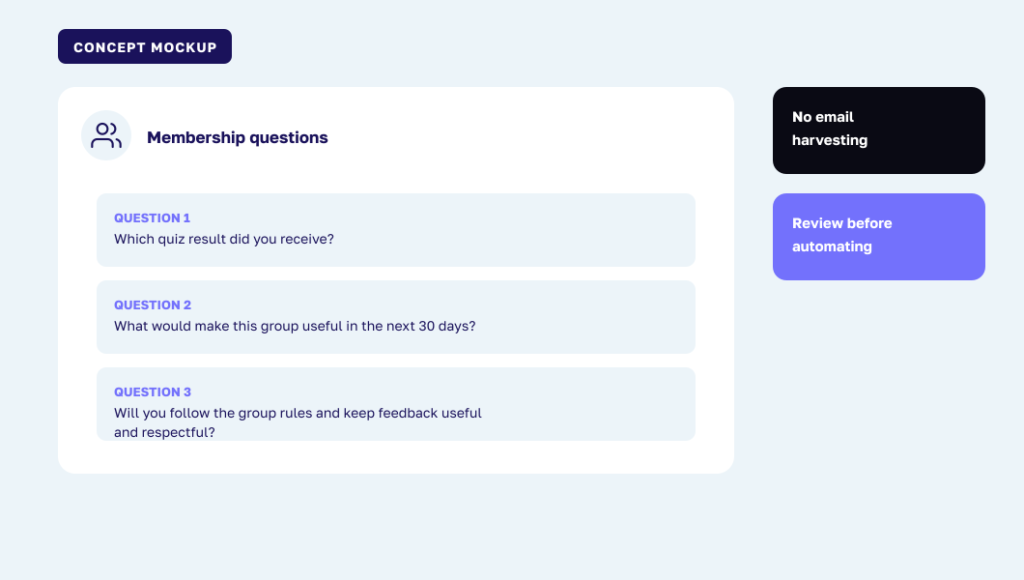
Facebook permits up to three membership or participation questions, so use them carefully. The exact labels and available controls can change, which is one more reason not to build your email system around this screen. Check Meta’s current help page before publication and whenever you revise the onboarding flow.
Use questions like these:
- Which quiz result did you receive? Clarity Builder, Consistency Builder, Connection Builder, Conversion Builder, or I have not taken the quiz yet.
- What would make this group useful to you in the next 30 days? Use a short written answer.
- Will you follow the group rules and keep feedback useful, respectful, and non-promotional? Yes or no.
Do not use one of the three questions to harvest an email address. The quiz already provides a clearer place for that choice. If someone arrives without taking the quiz, approve them according to your community criteria and point them to the quiz from the welcome post if it will help them find a starting point.
Meta’s Admin Assist can manage aspects of posts, comments, and membership based on criteria you set. Treat it as moderation support, not a substitute for judgment. Test the criteria, review the activity log, and keep a manual path for edge cases or people who have trouble answering a question.
Step 10: Give every new member a result-specific welcome
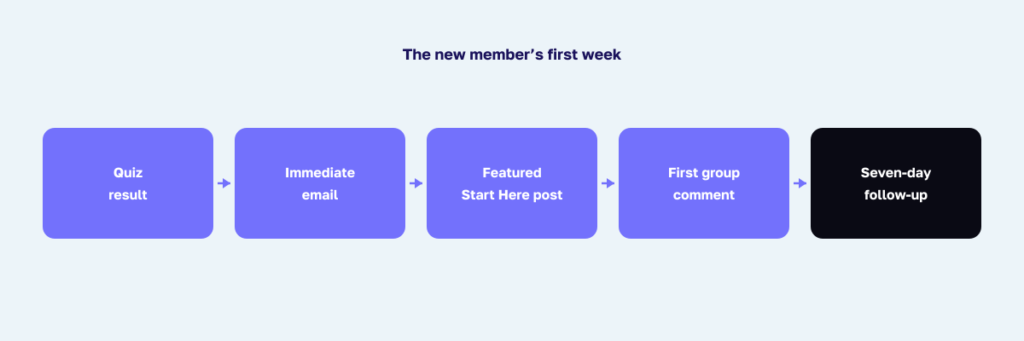
Create one featured Start Here post that lists the four results and links to their group destinations. Invite new members to comment with their result and the one action they are working on. This gives them a low-pressure first contribution and helps other members find peers with similar priorities.
If you send a welcome email, lead with the promised result resource. Then remind the person that the group is available if they want implementation support. A simple sequence can be:
- Immediately: Result summary, first action, promised resource, and group invitation.
- Two days later: A founder or customer story that shows the result in practice.
- Four days later: One common mistake and a useful correction.
- Seven days later: A relevant product, service, event, or next resource.
The customer or founder story matters because it contains experience a generic summary cannot reproduce. Describe the actual situation, the decision, what happened, and what you would do differently. Do not inflate the story into a universal promise.
A customer lesson: let the quiz create value before the invitation
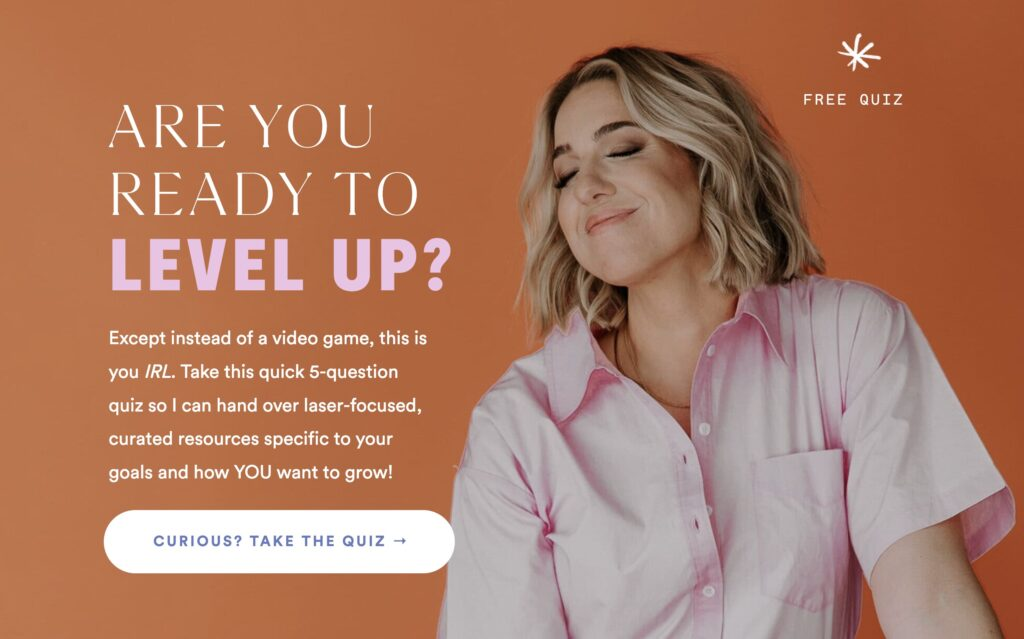
Jenna Kutcher has used Interact quizzes since 2017, and her quizzes have collectively added more than 105,000 email subscribers. Her 2026 account of that work describes several roles for a quiz, including brand discovery, decision support, offer-adjacent education, and audience insight. That longevity matters because the quiz is not tied to one distribution trick. Read Jenna Kutcher’s quiz story for the full first-person account.
This is not a Facebook group growth benchmark, and I would not present it as one. The relevant lesson is that a quiz can help people identify what they need while giving the business better information about how to serve them. If the result is useful on its own, the community invitation becomes one valuable next step rather than the only reason the quiz exists.
Step 11: Promote the quiz, not just the group
A direct group invitation asks someone to understand the value before they have experienced it. A quiz gives them a useful interaction first. Lead promotion with the question the quiz answers: “What kind of support will help you grow right now?” Then show one example result and link to the quiz.
Start with durable placements on channels you own or control:
- A quiz link in your website navigation or homepage banner
- An embedded quiz at a memorable URL such as yoursite.com/quiz
- A link in your email welcome sequence and regular newsletter
- A link in your podcast or YouTube description
- A link-in-bio placement on your primary social profile
- Relevant Facebook posts that teach something before inviting the click
Step 12: Measure the full journey without inventing attribution
Define the events before launch. The numbers you need live in more than one system, so do not force them into a single claim unless your tracking really supports it. Review these measures weekly during launch and monthly after the funnel settles.
- Quiz landing-page visits
- Quiz starts
- Quiz completions
- Email opt-ins
- Result distribution
- Result-page group CTA clicks
- Facebook join requests
- Approved members
- New members who complete a first action
- Seven-day participation
- Result-specific email engagement
- Relevant product or service conversions
Two rates are especially useful. Quiz-to-group request rate is join requests divided by quiz completions. New-member activation rate is new members who take the defined first action divided by approved new members. Member count alone can grow while the community becomes less useful, so pair acquisition with activation and ongoing participation.
Use unique links or tagged URLs where the platforms and your privacy setup support them. If Facebook does not return enough data to connect an individual click to an approved membership, report the two stages separately. Honest directional evidence is more useful than precise-looking attribution built on assumptions.
What makes this strategy durable in the AI recommendation era
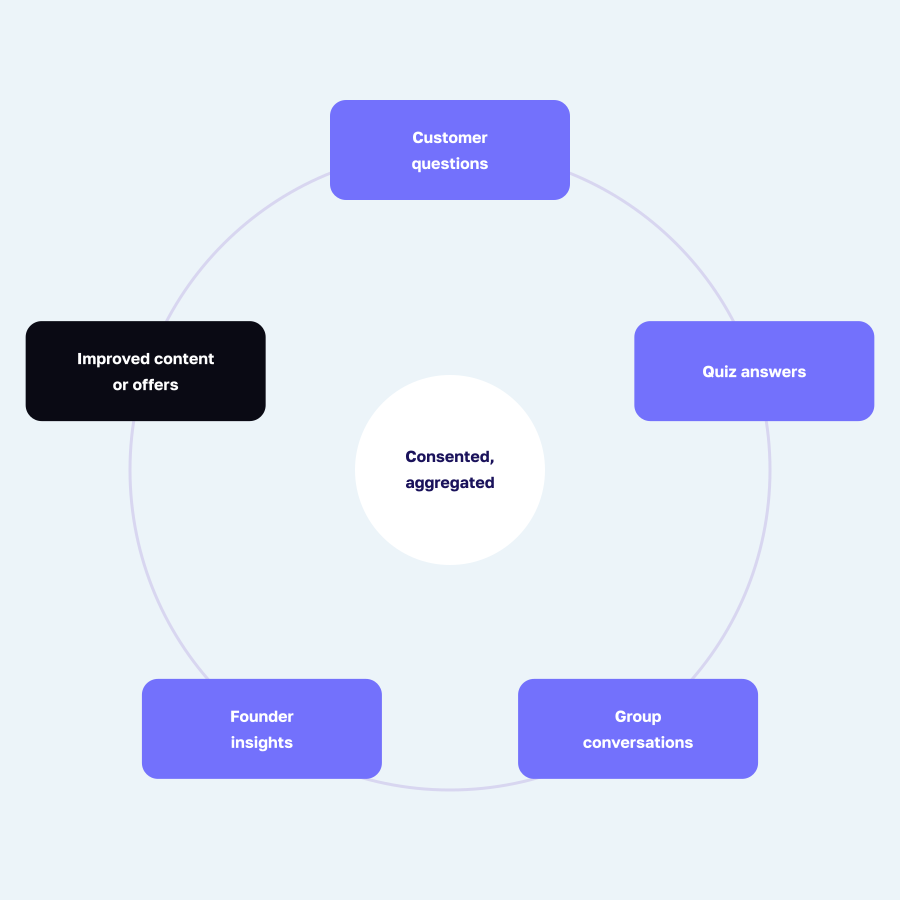
AI chatbots can summarize public advice about growing a Facebook group. They cannot automatically know what your customers repeatedly ask, which language they use, why they hesitate, which result paths lead to action, or what your community learns through real implementation. That business-specific evidence is the part worth building.
The quiz turns your method into an experience rather than another generic article. The opt-in gives you a permission-based connection. The group creates peer examples and ongoing conversations. Over time, the answer patterns, member questions, customer stories, and product choices can improve your content and offers in ways that are grounded in your own audience.
That is also why the worked example should not be copied word for word. Use your customer conversations, sales calls, support tickets, and founder experience to rewrite the outcomes and answers. The more faithfully the quiz reflects what your audience actually says, the more useful it will remain even as discovery shifts from search pages to AI-generated recommendations.
Frequently asked questions
Should the quiz live inside the Facebook group?
Usually, no. Put it on your website or use an Interact-hosted link so the experience, consent language, and analytics do not depend on a group member already being inside Facebook. The result page can then invite the right people into the group.
Should I require an email before showing the result?
Choose based on the value exchange, audience expectations, and legal requirements that apply to you. If the result itself was the main promise, allowing a skip can preserve trust. If you require the form, say exactly what the person is agreeing to receive and provide the required privacy and consent controls.
Can I ask for an email in a Facebook membership question?
Facebook may let you ask a written question, but I do not recommend using membership answers as your email acquisition workflow. A dedicated quiz opt-in creates clearer permission, stores the response in the right system, and makes unsubscribing and deletion easier to manage.
Can every quiz result link to the same Facebook group?
Yes. Change the CTA copy and first destination to match each result, even when the group URL is the same. A featured Start Here post can route each result to the right thread or guide after the person joins.
How many results should the quiz have?
Three to five is a practical range for most personality quizzes. Four works well here because the outcomes are distinct enough to be useful while remaining manageable inside one group. Add another result only when it creates a meaningfully different next step.
How long should the quiz be?
Aim for the shortest quiz that produces a trustworthy result. Seven questions are enough for this example because each one distinguishes the four priorities. Remove repeated questions before adding more.
Can I recommend products and still grow the group?
Yes, but keep the next step clear. If group growth is the main goal, use the result CTA for the community and deliver the product recommendation in the result text, email follow-up, or group starting point. If sales are the main goal, link the CTA to the product and invite people to the community elsewhere.
What should I do if Meta changes a group feature?
Keep the quiz, email consent, and result resources on systems you control. Review Meta’s current help documentation, update screenshots, and adjust the Facebook handoff without rebuilding the entire funnel. This is another advantage of the owned-first model.
Build the useful moment before you chase the member count
A quiz grows a Facebook group when it does more than collect a click. It helps a person understand what they need, gives them a practical first action, and invites them into a community prepared to support that action. The group becomes better because the member arrives with context and a reason to participate.
Build the four group starting points first. Write the results and questions from real customer language. Put email consent on the quiz, keep membership as a separate choice, and test the complete journey from first click through the first week in the group. That is a stronger foundation than any shortcut built around copied answers or an unreviewed extension.