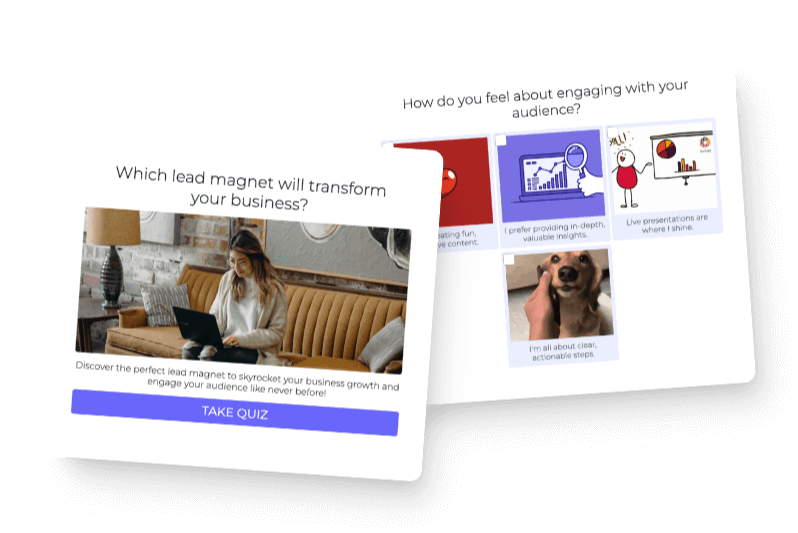

The biggest mistake I see with quiz funnels is that the quiz remembers everything about the person, and the rest of the business remembers nothing.
Somebody answers a series of personal questions. They tell you what they want, where they are stuck, what they have tried, and what kind of help would be useful. Then they get dropped into the same generic welcome sequence as everybody else.
That is a broken handoff.
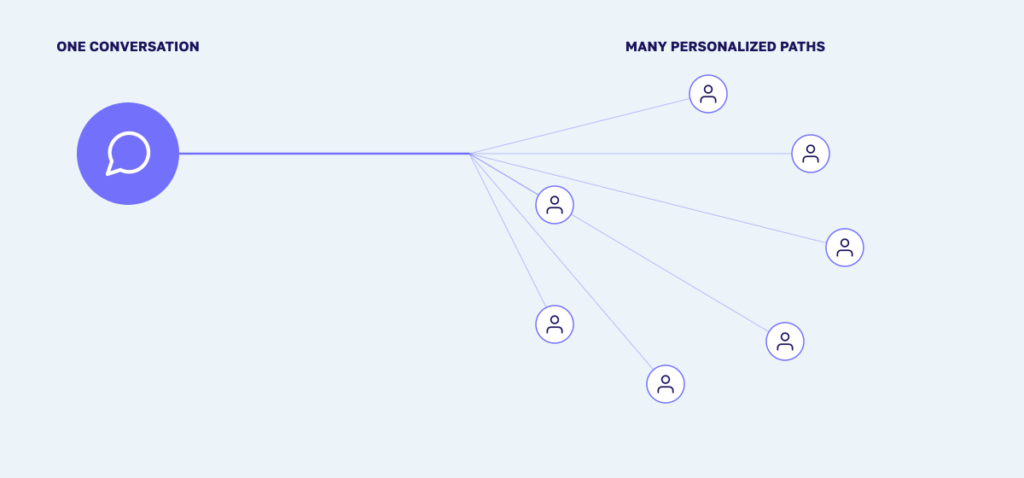
A quiz funnel is the system that uses what somebody told you in the quiz to decide what helpful experience should happen next. The quiz starts the conversation. The funnel carries that context forward.
![Simple diagram showing Quiz answers → Personalized outcome → Relevant follow-up → Right next step]](https://tryinteract-blog.s3-us-west-1.amazonaws.com/blog/wp-content/uploads/2020/07/funnel-1-quiz-to-next-step-1024x358.png)
I have seen quiz funnels become way more complicated than they need to be. People draw giant maps with dozens of branches, build a separate email sequence for every possible answer, and end up with a system that is impossible to finish or maintain.
You do not need that. You need a clear next step for each outcome, a small amount of useful segmentation, and a follow-up path that sounds like a continuation of the quiz.
This article owns that part of the system. If you are still deciding whether a quiz is the right lead magnet, start with when a lead generation quiz works best. If you need to build the quiz itself, use the guide to making an interactive quiz. Here, we are starting at the moment the person finishes.
What a quiz funnel actually does
A traditional marketing funnel is usually described as a path from awareness to interest to consideration to purchase. That model is fine as a broad picture, but it misses the most useful thing a quiz adds: the path does not have to be the same for everybody.
The person has already given you context. A good quiz funnel uses that context to help them make the next decision. It should not force every person toward the same product simply because that is the easiest automation to build.
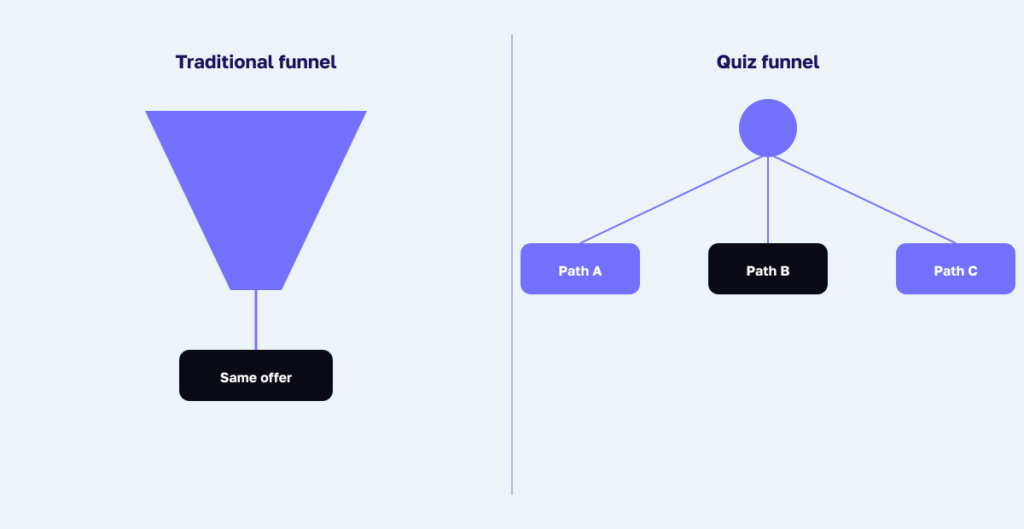
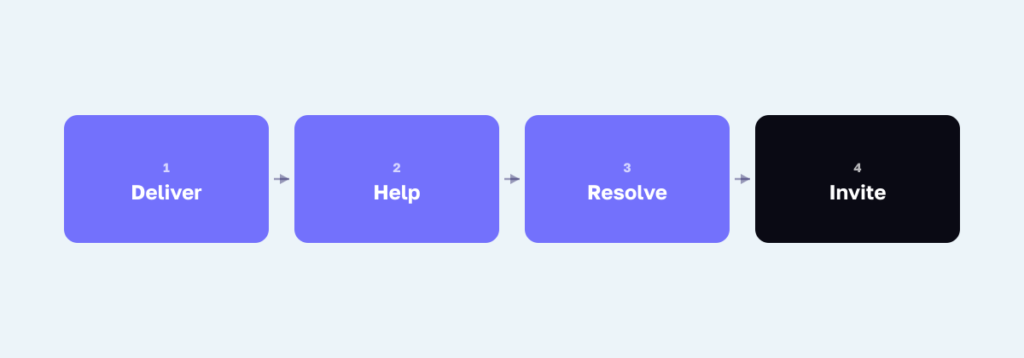
A useful quiz funnel has four jobs:
- Deliver the answer or guidance the quiz promised.
- Continue helping based on what the person learned.
- Route the person toward the next step that fits.
- Show you where people move forward or get stuck.
The final action does not have to be a purchase. It might be choosing a product, reading a resource, registering for a workshop, booking a consultation, applying for a service, beginning onboarding, or asking a human for help.
| Moment | The person’s question | The funnel’s job |
|---|---|---|
| Quiz outcome | “What did I get, and what does it mean for me?” | Give a clear answer that reflects what the person told you |
| First handoff | “What should I do with this?” | Deliver one useful action or resource connected to the outcome |
| Follow-up | “Can this actually help my situation?” | Add context, address the likely obstacle, and show a relevant example |
| Next step | “Where do I go from here?” | Offer the right free, paid, or human-supported path |
| Ongoing relationship | “Is this still useful to me?” | Continue with relevant help, onboarding, support, or an easy exit |
The order is simple. Reflect what the person told you, help them use it, and then invite them forward. You are not trying to drag them through a funnel. You are making the next useful decision easier.
Start with the destination, not the email sequence
Most people start a quiz funnel by asking how many emails they should write. I would start somewhere else: What should happen next for the person who receives each outcome?
Take one outcome at a time and answer these questions:
- What does this person understand now that they did not understand before?
- What question are they most likely to ask next?
- What is one action they can take without buying anything?
- What resource, product, service, or conversation would genuinely fit?
- What would be premature or wrong to recommend?
- How will they know whether the next step helped?
That last part matters. Some outcomes should lead directly to an offer. Some should lead to more education. Some should lead to a conversation with a person. Some should clearly say, “This is not the right fit right now.”
The quiz taker is the hero of the story. The funnel is there to guide them, not to make your automation look clever.
Choose the shortest path that can be genuinely helpful
Not every quiz needs a long email sequence. The right path depends on how much thought, trust, or support the next decision requires.
A direct recommendation path
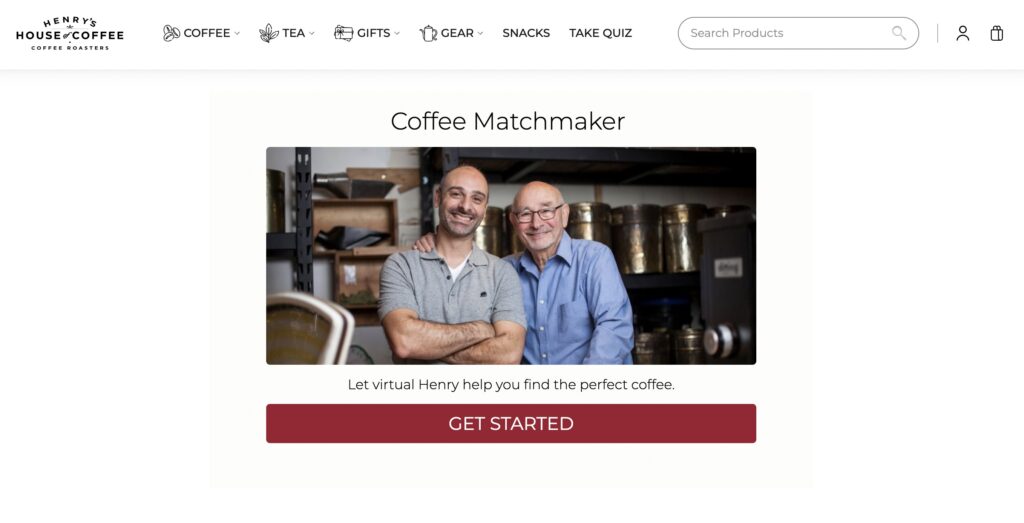
When the person wants help choosing a straightforward product, the useful next step may be immediate. Henry’s House of Coffee asks about taste preferences and guides the person to a coffee match. There is no reason to make somebody wait through four educational emails before showing them the product they came to find.
The funnel can be as short as quiz, recommendation, product page, and an optional follow-up with brewing guidance or another relevant product. The important thing is that the recommendation connects to what the person said they wanted.
An education-then-action path
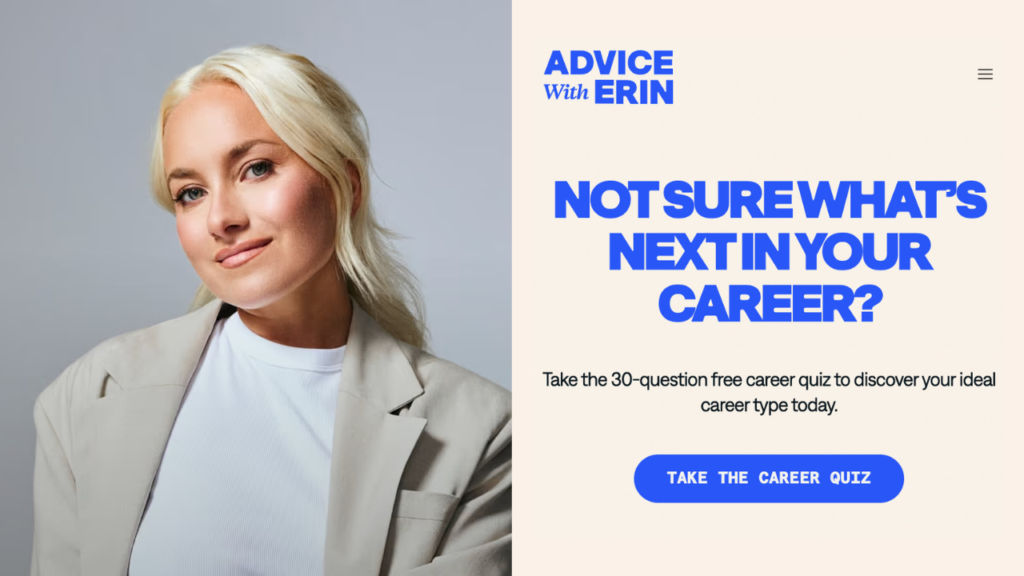
Sometimes the outcome creates a new question. Advice With Erin’s career quiz helps people identify their career type, then offers a fuller persona breakdown by email with personalized career, book, and podcast recommendations.
That handoff makes sense because the first answer is “Here is your type,” while the next question is “What can I do with that?” The follow-up expands the answer instead of restarting the conversation.
A service or consultation path
For a nuanced or higher-consideration service, the quiz can handle the first part of qualification and the funnel can prepare the person for a real conversation. In Greg Faxon’s quiz funnels, the outcome pages connect people to a booking link or relevant offer, while the email sequence continues the relationship.
The quiz does not replace the human. It helps the human conversation begin with more context. The person arrives knowing more about their situation, and the business already knows what they asked for help with.
A careful guidance path
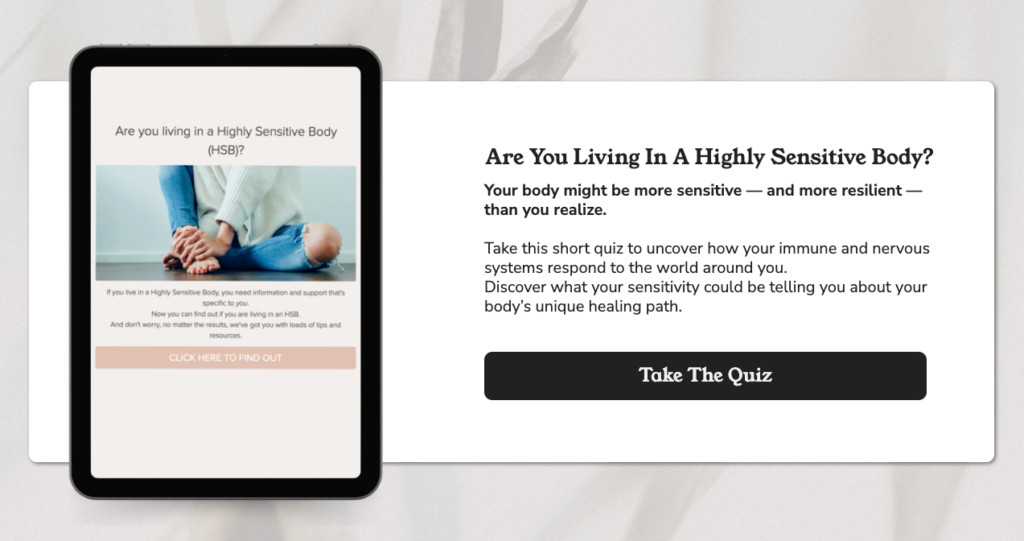
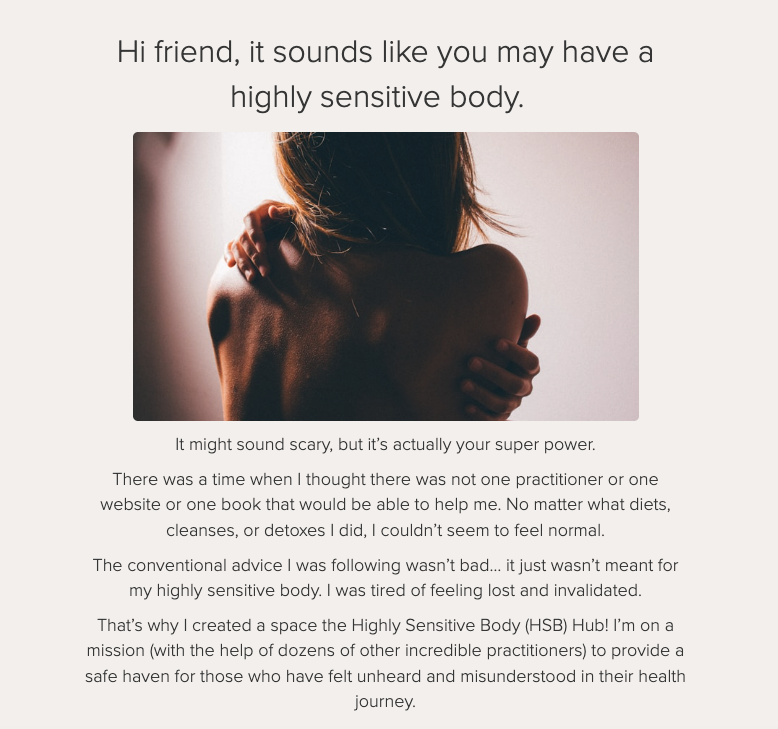
In health, finance, legal, or other high-stakes topics, the funnel should be especially clear about what the quiz can and cannot do. Michelle Shapiro RD’s Highly Sensitive Body quiz sits inside a larger ecosystem that includes educational resources, workshops, a resource hub, and ways to work with her practice.
That kind of quiz can help somebody organize what they are experiencing and find relevant education. It should not claim to diagnose them or replace individual professional care. When the situation requires judgment, the most responsible next step may be a qualified human.
An onboarding or support path
A quiz does not always have to sit at the top of the funnel. You can use one after purchase to direct a customer to the right onboarding path, recommend the right lesson, collect setup preferences, or route a support request.
In that case, the destination is not another sale. It is helping the customer succeed with the decision they already made. This is still a funnel because the quiz is guiding the person through a sequence of useful next steps.
Use the outcome as the main branch
The easiest way to make a quiz funnel unmanageable is to build a separate path for every answer somebody could choose. Most of the time, you do not need to.
Start with the final quiz outcome as the main branch. The outcome is already a useful summary of the person’s answers, so it should drive the first follow-up and the primary recommendation.
Then look for one or two individual answers that would materially change what you say. A career coach may care whether somebody wants to change jobs immediately or is exploring for the future. A consultant may care whether the person needs a self-guided resource or wants hands-on help. A product company may care about a preference that changes the product match.
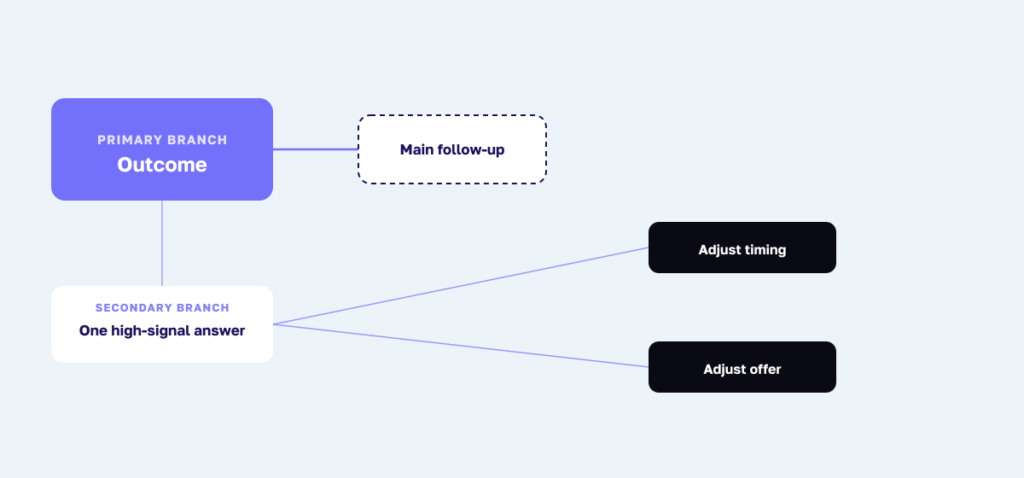
My test is straightforward: If this answer would not change the advice, recommendation, timing, or person responsible for the next step, do not create another branch for it.
Keep a shared backbone wherever the guidance is the same. You might personalize the first two messages by outcome, then move everybody who is ready into a common educational sequence. Or you might share the same delivery email while changing only the recommended resource and call to action.
This gives people a personalized experience without leaving you with 30 automations that all need to be updated every time your offer changes.
Personalization should have memory
The clearest sign of a good quiz funnel is that the person does not have to repeat themselves. If they just told you that their biggest challenge is consistency, do not send an email that begins, “What is your biggest challenge?”
Reflect the information back in a genuine way. “You said consistency is the hard part, so here is a way to make the first step smaller” feels helpful. “We know everything about you now” feels creepy.
Use only the data you need. Collecting more information does not automatically make the funnel more useful, and sensitive information deserves extra care. Tell people what they will receive immediately, what ongoing email they are agreeing to, and how their information will be used. Link your privacy policy and make unsubscribing easy.
Consent and data rules vary by jurisdiction, so this is general marketing guidance rather than legal advice. The practical standard is that the person should understand the exchange and remain in control of the relationship.
Make the outcome-to-email handoff feel like one conversation
The page somebody sees after the quiz is commonly called an outcome page. Inside Interact, it is called a Result page. Both terms refer to the same moment: the person has finished answering and wants to know what it means.
The separate guide to writing quiz outcome pages covers the copy in full. For the funnel, focus on continuity. The outcome page and the first email should use the same outcome name, the same central explanation, and the same next step.
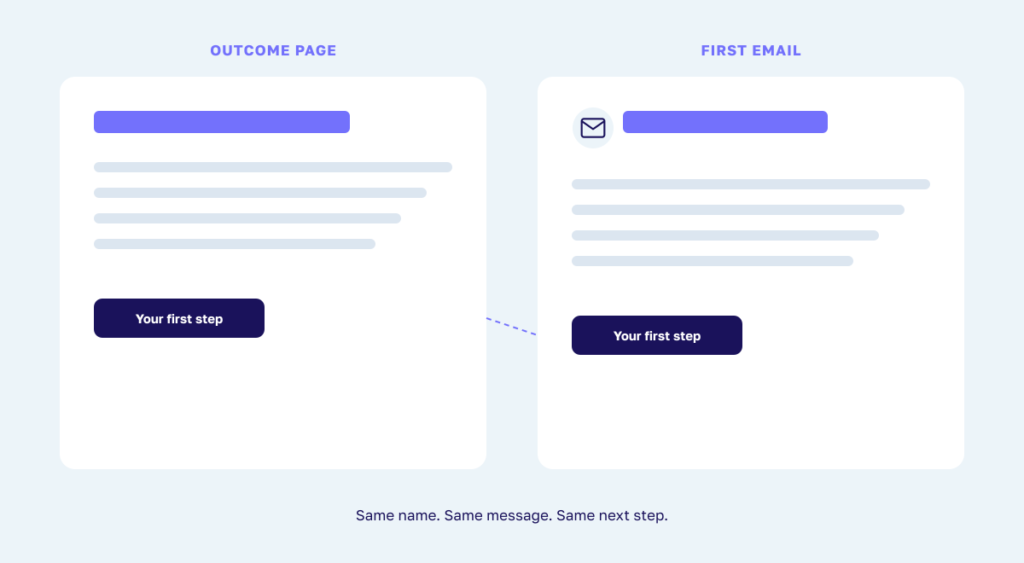
Do not make the person wonder whether the email belongs to a different quiz. Do not bury the promised report below a long introduction. Deliver it first, then help them use it.
If somebody skips the opt-in, the on-screen outcome should still answer the quiz’s core question. If they do join, the email can give them a deeper report, a saved copy, more context, or a next step that is easier to continue over time.
Build the follow-up around four jobs
The old version of this article included a rigid four-email sales sequence with fixed delays and fill-in-the-blank pitches. I do not think that is how most people should approach it now.
There is no universal number of emails or perfect delay. A coffee recommendation may lead to a purchase immediately. A career change, business service, or health-related decision may need more time and more trust.
What is consistent is the job the follow-up needs to do.
1. Deliver and orient
The first message should arrive when the person expects it. Deliver the promised report or recommendation, remind them what their outcome means, and give them one small way to use it.
Keep this message focused. The person should not have to scroll through your life story before finding the thing they requested.
2. Help them act
The next message should help the person make progress without requiring a purchase. Give them one useful action that fits the outcome, not ten generic tips copied into every branch.
If they complete that action, what becomes easier? That is the bridge to the rest of the sequence.
3. Address the likely obstacle
Every outcome has a reason the person may still feel stuck. Explain the obstacle, answer a common question, or show a relevant example of somebody who faced a similar decision.
Use proof carefully. A case study should show what is possible and explain the conditions, not imply that everybody will get the same result.
4. Invite the next level of help
Once you have delivered the answer and helped the person use it, make the next step clear. That may be a product, service, workshop, course, consultation, community, or another free resource.
Do not hide the offer as if selling is wrong. Also do not force the same offer on every outcome. The best invitation feels like the logical continuation of what the person already asked you to help with.
After this short outcome-specific path, move the person into the ongoing email rhythm that fits. Do not leave them permanently trapped in a four-message automation, and do not keep selling an offer they already bought.
Create a useful path when the offer does not fit
A useful funnel needs a path for people who are not ready, do not qualify, or simply need something different.
You can recommend a free resource, invite them to a newsletter, direct them to a lower-commitment product, or explain what would need to be true before the paid option makes sense. If there is no appropriate offer, say that clearly.
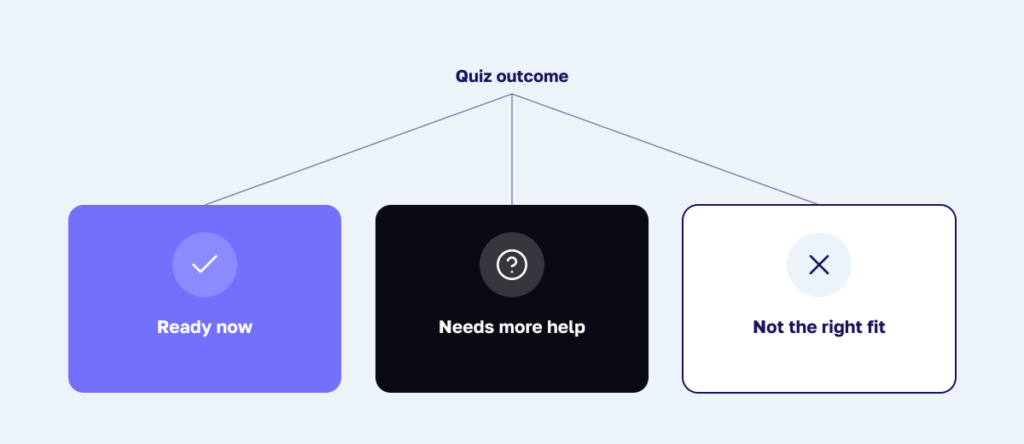
This is where a quiz funnel can be much more helpful than a generic sales sequence. It can give you permission to stop pushing and route the person somewhere better.
The same principle applies after purchase. Remove customers from irrelevant sales messages, then move them into onboarding, support, and education that helps them get value from what they bought.
Connect Interact to the rest of the funnel
Interact can send quiz leads and quiz data into email and CRM platforms including Flodesk, Kit, ActiveCampaign, Klaviyo, Mailchimp, and HubSpot. The current integration directory is the safest place to check what is supported.
The exact actions vary by platform. Depending on the direct integration, you may be able to add somebody to a list or segment, apply a tag, enter them into a workflow, update a field, and map the final outcome or selected answers. Do not assume every destination supports every action.
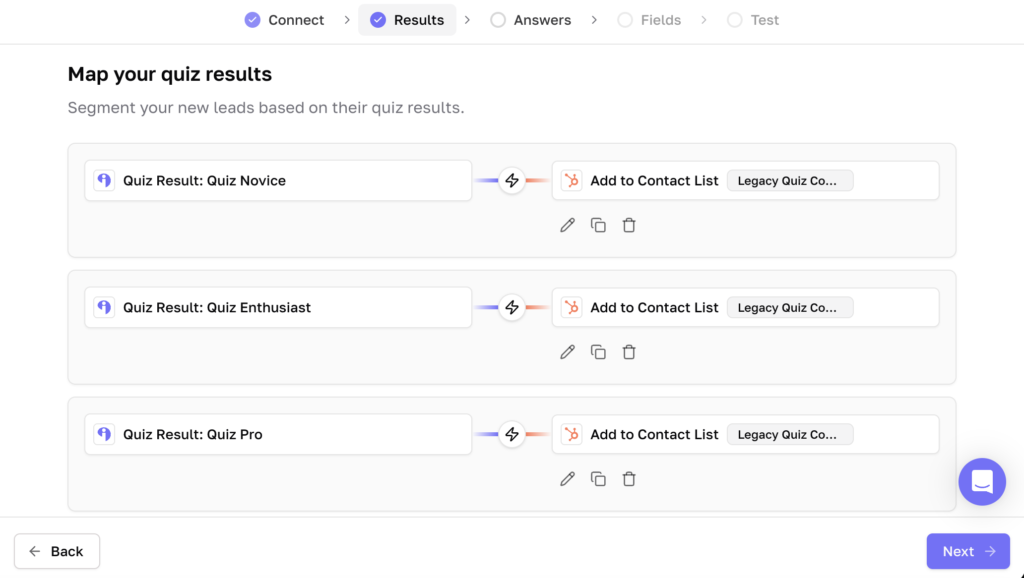
The email platform sends the follow-up after you configure the sequence or workflow there. Interact supplies the lead and the quiz context. It does not replace the setup and testing inside your email software.
At a high level, the implementation looks like this:
- Decide the primary next step for every quiz outcome.
- Choose the smallest set of quiz data that changes the follow-up.
- Set clear opt-in expectations and collect only the fields you need.
- Connect the quiz to the email or CRM platform you use.
- Map each outcome and any high-signal answers to the right tags, fields, lists, segments, or workflows.
- Build the emails and downstream actions in that platform.
- Add the appropriate outcome-page CTA or result redirect when your Interact plan supports it.
- Test every path before sending real traffic.
This is the architecture, not a click-by-click integration tutorial. Use the current Help Center guide for your specific platform because screens and available actions change.
Test the entire path as a quiz taker
Do not stop testing when the correct outcome appears. That only proves the quiz logic works. A funnel test begins there.
Complete the quiz once for every outcome using email addresses you can access. Confirm the correct contact record, outcome, tags, fields, segment, first email, links, CTA, redirect, booking page, product page, and follow-up path.
Test on a phone as well as a computer. Look for duplicate emails, missing personalization, dead links, outdated products, confusing sender names, and branches that accidentally send the wrong offer.
If a human is supposed to follow up, test that handoff too. Make sure the right person receives the context they need and that the quiz taker knows when and how a response will arrive.
Measure the journey after the lead
The quiz platform tells you what happens inside the quiz. Depending on your plan, Interact analytics can show measures such as views, starts, completions, leads, outcome performance, CTA clicks, answer patterns, and question drop-off. Your email platform, CRM, booking system, and ecommerce platform tell you what happens later.
The most useful view connects those systems around the decision you want to improve.
| Part of the journey | Useful signals |
|---|---|
| Outcome handoff | Correct outcome delivered, report accessed, outcome-page CTA clicked |
| Email follow-up | Delivery, link clicks, replies, unsubscribes, and complaints |
| Human handoff | Qualified replies, applications, calls booked, and calls attended |
| Product or service action | Product-page visits, purchases, proposals accepted, or registrations |
| Customer success | Onboarding completed, support needs, use, retention, and refunds |
Do not judge the funnel from open rates alone. Apple’s Mail Privacy Protection can prevent senders from knowing whether a person opened a message, so clicks, replies, bookings, purchases, unsubscribes, and complaints provide more useful behavioral signals.
Compare the path by outcome. If one outcome produces strong engagement but very few people reach the recommended next step, the offer may not fit that group. If another group clicks but does not buy, the product page or handoff may be the problem rather than the quiz.
Find the largest point of confusion or drop-off and change one thing at a time. A clearer first email, a better-matched resource, or a simpler next step can matter more than adding another five-email sequence.
Automation still needs an owner
A quiz funnel can keep helping people when you are asleep, with your family, serving customers, or doing the work only you can do. That is the benefit of the system.
But automated does not mean permanent. Products change. Services change. People use different languages. Links break. Email platforms update their workflows. Advice that was responsible two years ago may need more context now.
Review the funnel whenever the offer or audience changes, and at least periodically even when nothing obvious has changed. Check:
- Whether every outcome still describes the person accurately
- Whether the recommended next step still exists and fits
- Whether tags, fields, segments, and workflows still fire correctly
- Whether every email and link still works
- Whether consent and privacy language still matches what you do
- Whether customers are removed from irrelevant sales paths
- Whether a human handoff still reaches the right person
- Whether one segment is consistently getting stuck
The goal is not a system you never touch. It is a system that saves repeated work while preserving your judgment.
Common quiz funnel mistakes
Sending everybody the same generic sequence
This throws away the most useful thing the quiz collected. At minimum, reflect the final outcome and connect the first recommendation to it.
Building a branch for every answer
More branches create more maintenance. Use an individual answer only when it changes the advice, offer, timing, or handoff.
Treating the outcome as a teaser instead of an answer
The quiz needs to deliver on its promise. The funnel can deepen the answer, but it should not hold the basic result hostage behind several more steps.
Pitching before the person understands the connection
An offer works when the person can see why it fits what they told you. If that connection is not clear, add better guidance rather than more urgency.
Assuming automation means it works
A workflow can run perfectly and still send the wrong message. Test the technology and the judgment built into the path.
Measuring only the total
One blended conversion number can hide a strong path and a broken one. Look at behavior by outcome and by the few answers you decided were important.
A simple quiz funnel blueprint
You can plan the first version on one page. For each outcome, write down:
- What the person just learned about themselves or their situation
- The next question they are likely to ask
- The first useful action or resource you will send
- The obstacle or uncertainty you need to address
- The product, service, resource, or conversation that fits
- The condition that should trigger a different path or human handoff
- The downstream action you will measure
Then build the smallest version that works. Start with one main branch per outcome, one useful follow-up, one clear next step, and one metric that shows whether people moved forward.
You can add sophistication after you see a real reason for it. Do not make people wait for your perfect automation before they can benefit from your guidance.
Frequently asked questions
What is the difference between a quiz and a quiz funnel?
The quiz asks questions and gives the person an outcome. The quiz funnel uses that outcome and selected answers to guide what happens next, which may include email, a resource, a product, a service, a human conversation, onboarding, or support.
Do I need a separate email sequence for every outcome?
Usually not. Personalize the parts where the advice or recommendation changes, then keep a shared backbone where the guidance is the same. Start with the outcome as the main branch and add answer-level branches only when they make the experience more useful.
How many emails should be in a quiz funnel?
There is no universal number. Use enough messages to deliver the promise, help the person act, address the main obstacle, and make the next step clear. A direct product recommendation may need very little nurture, while a complex service decision may need more time or a human conversation.
Should people see their quiz outcome before opting in?
You can show the outcome on screen and offer a fuller report by email, or place the opt-in before the outcome with a clear option to skip when appropriate. Either way, explain what the person will receive and what ongoing email they are agreeing to. The core quiz promise should still be fulfilled.
Does every quiz funnel need to sell something?
No. A quiz funnel can guide people to education, support, onboarding, community, or another resource. If you do have a paid offer, recommend it when it is genuinely the right next level of help.
Can I use a quiz in the middle or at the end of a funnel?
Yes. A quiz can help somebody choose between offers during consideration, prepare for a consultation, route a new customer through onboarding, or direct an existing customer to the right support.
What quiz data should I send to my email platform?
Start with the final outcome. Add only the individual answers that change the advice, recommendation, timing, or owner of the next step. Check the current documentation for your integration because supported actions and fields vary.
Can the free Interact plan run the whole funnel automatically?
The Interact Free plan lets you publish two quizzes, capture leads, and support up to 100 quiz completions per billing cycle. Leads can be downloaded by CSV. Direct integrations, branching logic, result CTAs, redirects, and conversion tracking require a paid plan, so check the current plans against the funnel you want to build.
The bottom line
A quiz funnel should make people feel like you listened.
They told you something about themselves. Your job is to carry that context into the next useful experience, whether that is a recommendation, an email, a resource, a purchase, a conversation, or support after the sale.
Start simple. Use the outcome as the main branch. Personalize only where it changes the guidance. Give every person a next step that actually fits, and keep a human path available when the situation needs one.
That is how a quiz becomes more than a lead magnet. It becomes a scalable version of the helpful conversation you would have if you had time to talk with every person yourself.
Start building with Interact’s free quiz maker. You can create the first version, collect leads, and prove that the core guidance is useful before adding the integrations and automation that carry it through the rest of the funnel.